61 62
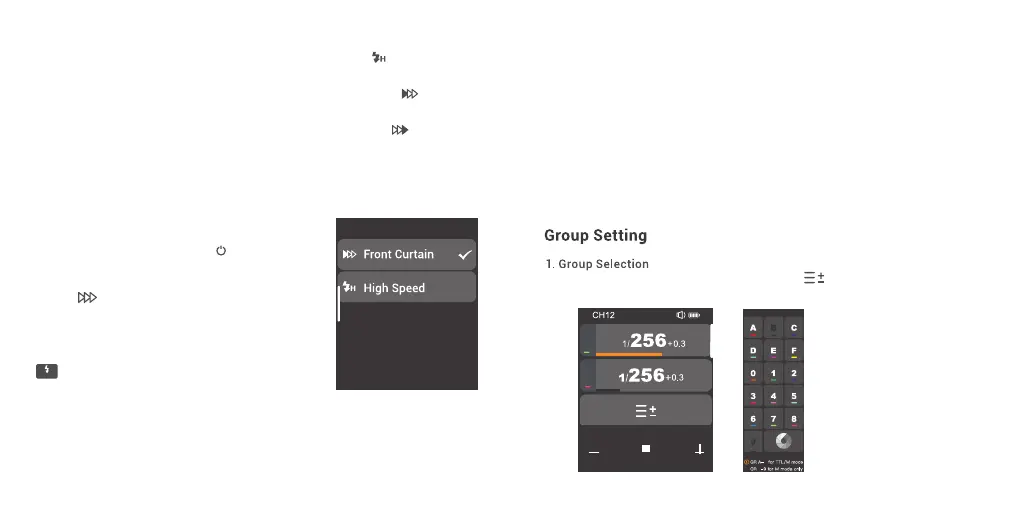
In main interface, slide the screen to the bottom until < > is displayed on the panel, press
the icon to enter group selection setting, you can select group among A to F and 0 to 9.
The sync mode cannot be set on this trigger, but instead it can be set on the camera to
control the high-speed sync/rear-curtain sync/front-curtain sync.
The following settings are based on the Leica M10 as an example.
1. Set high-speed sync: If the selected or calculated shutter speed of the Leica M10 is
faster than the sync speed 1/180s, the camera automatically activates the high-speed
sync mode.
2. Set rear-curtain sync: Go to main menu→ select flash settings in the main menu→
select the flash trigger time→ select end of exposure.
3. Set front-curtain sync: Go to the main menu→ select flash settings in the main menu
→ select the flash trigger time→ select start of exposure.
Note: For X3 S and X3 N flash triggers,
groups A to C are available for TTL/M
mode, while group D to 9 are only
available for M mode.
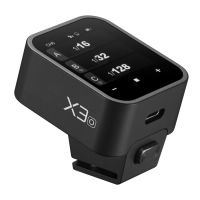
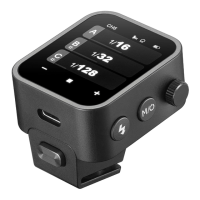
4. X3 F Sync Mode
5.X3 O Sync Mode
6. X3 L Sync Mode
8
7
E
F
1. High-speed sync: Set the SYNC of flash in the camera as FP, and < > is displayed
on the LCD panel, then set the camera shutter.
2. Front curtain sync: Set the SYNC of flash in the camera as FRONT, and < > is
displayed on the LCD panel, then set the camera shutter.
3. Rear curtain sync: Set the SYNC of flash in the camera as REAR, and < > is
displayed on the LCD panel, then set the camera shutter.
1. In main interface, slide the screen down from the
top to display <Setting>, press <Setting> to enter
C.Fn. menu. Or you can press the <M/ > button to
display <Setting> on the panel, then press
<Setting> to enter C.Fn. menu.
2. Press < > to enter sync setting, you can
select among front curtain sync, high speed sync
3.Rear Curtain Sync: Press “OK" button on Olympus
camera or "MENU" button on Panasonic camera to
enter rear curtain sync mode setting. When the
< > appears on the display, set the camera
shutter.
2nd-C


 To Next Page