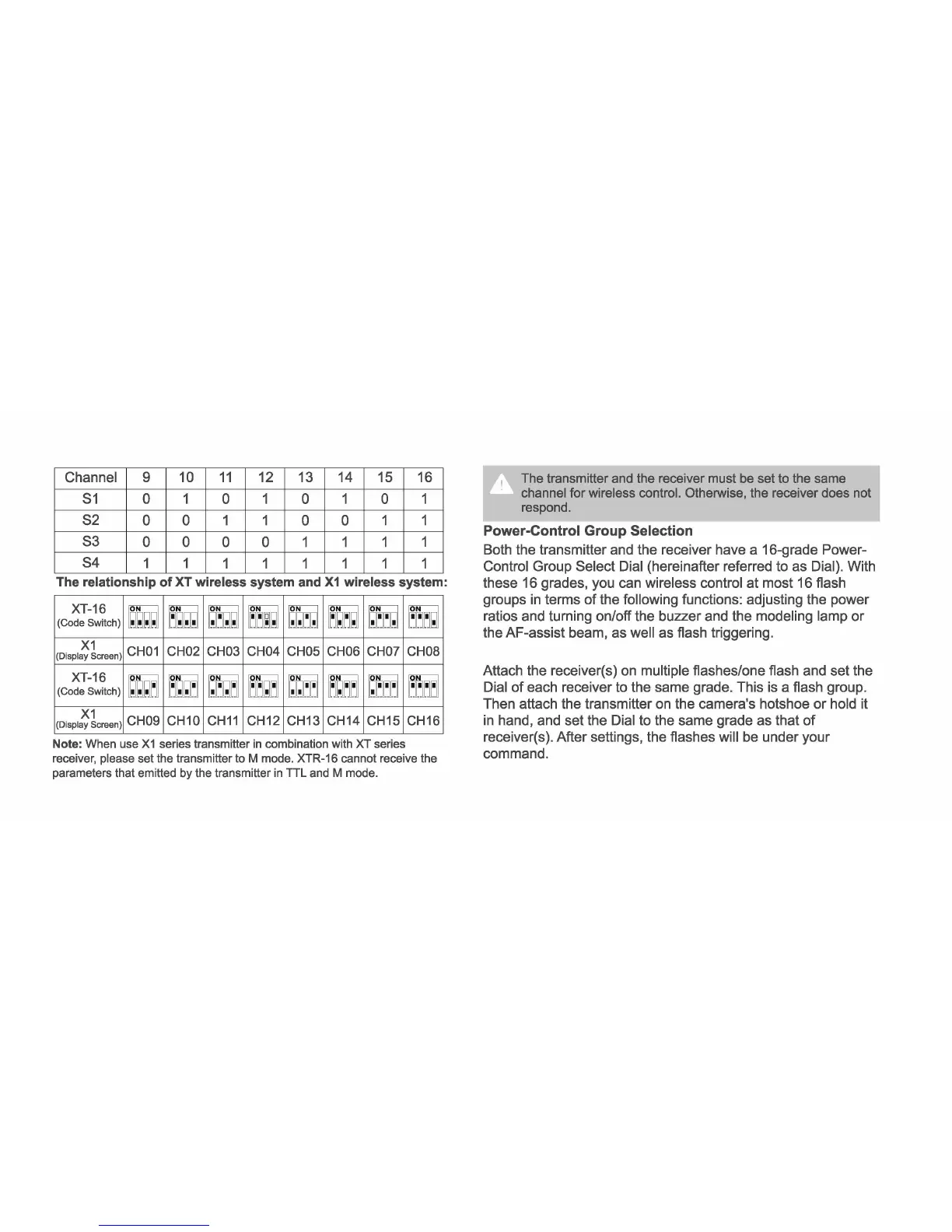
Channel 9 10 11 12 13 14 15 16
S1 0
1 0 1 0 1 0 1
S2
0 0 1 1 0 0 1 1
S3
0 0
0 0
1 1 1 1
S4
1
1 1 1 1 1 1 1
The relat1onsh1p of XT wireless system and X1 wireless system:
I XT-16
(Code Switch)
~ ~
ITT;
~ ~ ~ ~
m
l(Displa~!creen)
CH01 CH02 CH03 CH04 CH05 CH06 CHO? CHOB
I XT-16
(Code Switch)
~;-~_·
~~-~-
i,f_;r_
~l,_;~
·~-~
~·-·--
..
~
-·-~-·-·
..
~
_,_l'L'_'
/i:rj
l(Displi:;1:reen)
CH09 CH10 CH11 CH12 CH13 CH14 CH15 CH16
Note: When use X1 series transmitter in combination with XT series
receiver, please set the transmitter to M mode. XTR-16 cannot receive the
parameters that emitted by the transmitter in TTL and M mode.
The transmitter and the receiver must be set to the same
channel for wireless control.
Otheiwise, the receiver does not
respond.
Power-Control Group Selection
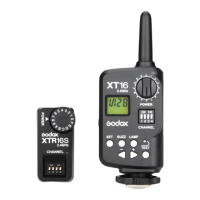
Both the transmitter and the receiver have a 16-grade Power-
Control Group Select Dial {hereinafter referred to as Dial). With
these 16 grades, you can wireless control at most 16 flash
groups in terms of the following functions: adjusting the power
ratios and turning on/off the buzzer and the modeling lamp or
the AF-assist beam, as well as flash triggering.
Attach the receiver(s) on multiple flashes/one flash and set the
Dial of each receiver to the same grade. This is a flash group.
Then attach the transmitter on the camera's hotshoe or hold it
in hand, and set the Dial to the same grade as that of
receiver(s). After settings, the flashes will be under your
command.



 To Next Page