16
macOS 10.14
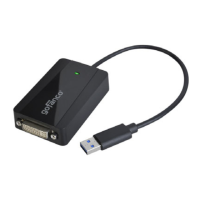
1. Connect your second monitor to the video adapter
(use the included adapter if needed) and turn it on,
then plug the video adapter into the computer.
2. Download the driver at www.gofanco.com/
downloads.
A) For USB 3.0 to HDMI/DVI: Type in USB3HDMI
and click Search.
B) For USB 3.0 to DVI/VGA: Type in USB3DVI, and
click Search.
3. Download the appropriate driver based on your OS
version. Note: Choosing the incorrect driver can lead
to installation issues.
4. Double click DisplayLink....dmg.
5. At the DisplayLink Installer, double click
DisplayLinkSoftware Installer.pkg.
6. At the Introduction, click Continue one to two times.
7. At the License, click Continue, and Agree.
8. At the Destination Select , click Continue. Skip this
step if not prompted.
9. At the Installation Type, click Change Install Location
if you want to change the default saving folder;
otherwise, click Install then Continue Installation.
10. Type in Name and Password, click OK or Install
Software.
11. Click Restart to complete the installation.


 To Next Page