18
Rotating a Display
Configure the orientation using the Rotation drop down
list, see Figure 3. Select the appropriate angle of rotation
to match your display's set up.
Setting the Display to Mirror/Extend Mode
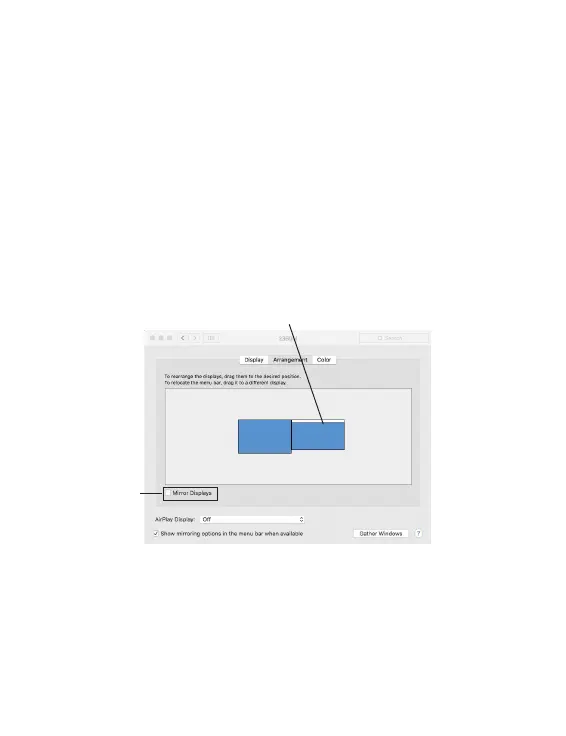
Check Mirror Displays box on the Arrangement pane to
enable the mirror mode. Uncheck the box to set the
display to extend mode.
Mirror
display box
Figure 4
Change the main display by simply dragging the white menu
bar between the displays.
Changing the Main Display
As Figure 4, you can change the main display by moving
the Menu Bar between displays. Changing the main
display affects where new windows appear.


 To Next Page