17
To Verify Driver Installation
1. Click the Apple logo from the top menu bar.
2. Click About this Mac, More Info..., then System
Report.
3. Under Hardware/USB, USB Display Adapter will
be displayed.
Mac Display Utility
Click the utility icon in the taskbar to change the modes/
resolutions, or click System Preferences, the Displays
icon, then select the Arrangement pane.
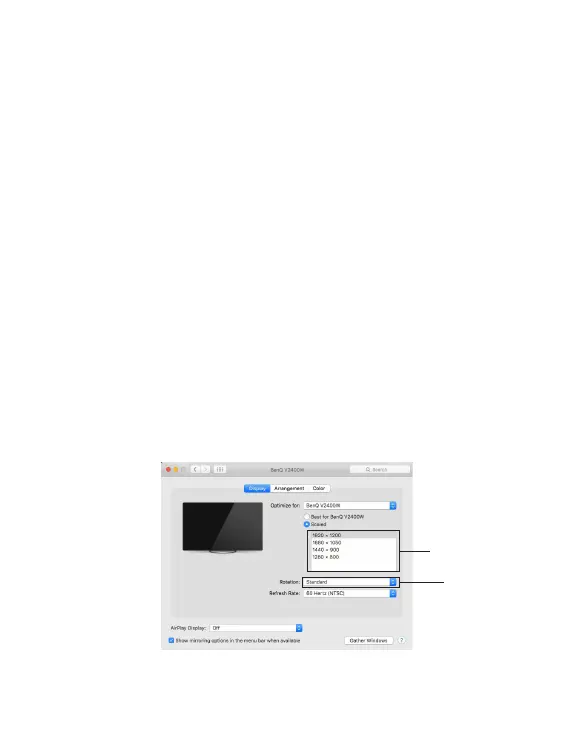
Setting the Display Resolutions
Select an available resolution from the Display
Preferences window. The resolutions available depend
on both the video adapter enabled product and the
capabilities of the connected display.
Rotate drop
down list
Resolution list
Figure 3


 To Next Page