EN - 26
EN
BASS ADJUSTMENT
Press the SUPER BASS button on unit to increase the bass effect.
EQUALIZER (EQ) FUNCTION
This unit has a built-in equalizer system, Press the EQ button on unit to select a setting
that best matches the music style: FLAT, CLASSIC, ROCK, POP and JAZZ.
MICROPHONE ECHO ADJUSTMENT
Press the ECHO button on unit turn on or off the microphone echo effect.
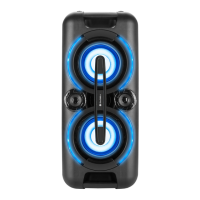
FLASHING LIGHT
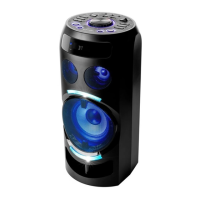
There are 5 modes for the DISCO LED lighting. Press the LIGHT button to choose
the light modes.
L-1: Blue LED will be on constantly.
L-2: Blue LED will be on ashing mode.
L-3: Red LED will be on constantly.
L-4: Red LED will be on ashing mode.
L-5: 7 colors LED will be on ashing mode.
There are 3 modes for the decoration LED lighting around the speakers.
Press and hold the LIGHT button to choose the light modes.
E-1: Blue LED will be on constantly.
E-2: Red LED will be on constantly.
E-3: Blue and red LED ashing alternatively.
RADIO OPERATION
Listen to FM radio broadcasts. Press the FUNCTION button on the unit, the display reads FM
and the radio frequency.
Note: in order to get the best reception, extend the FM ANT. on the rear of the unit before use
to its full length.
TUNING TO A RADIO STATION
If you know the station frequency that you want to tune to directly:
• Tune to a station by press the :/TUN.+ or 9/TUN.- button repeatedly.
The station frequency is shown on the display.
To tune to a preset station:
• To tune to the next preset station, press the 10/M./FOLD.+ button.
• To tune to the previous preset, press the 10/M./FOLD.- button.
AUTO PRESET MEMORY / SCAN
To scan for stations within reception range and save them to preset memory automatically,
press and hold the PLAY/PAUSE/PAIR/SCAN button. After the unit is nished scanning, the unit
will automatically tune to preset number 1 (P01).
MANUAL PRESET MEMORY OPERATION
Choose which stations to save in preset memory instead of scanning automatically.
1. Use the :/TUN.+ or 9/TUN.- button to tune to the station that you want to save as a preset
(e.g., 93.1).
2. Press the P-MODE/M. button. “P01” will flash on the display to indicate that you are saving
the station as Preset Memory 01. (To change the preset memory number, press the 10/M./
FOLD.+ or 10/M./FOLD.- buttons.)


 To Next Page