EasyManua.ls Logo

Gogen TAS 930 - User Manual

Gogen TAS 930
32 pages
Go to English
Print Icon
To Next Page IconTo Next Page
Loading...
xx - 1
NÁVOD K POUŽITÍ
NÁVOD NA POUŽITIE
INSTRUKCJA OBSŁUGI
USER MANUAL
HASZNÁLATI UTASÍTÁS
TAS 930

Questions and Answers

  • T
    Theresa CoxAug 5, 2025
    What to do if my Gogen TAS 930 Speaker System has no sound or distorted sound?
    • J
      Jessica WardAug 5, 2025
      If your Gogen Speaker System has no sound or the sound is distorted, there might be a few reasons. First, check that the audio cables are properly connected to the correct inputs. Second, ensure that the volume isn't set too low by turning it up. Finally, the sound may be switched off, so press MUTE on the remote control or Play/Pause to switch it on.
  • M
    masontracyAug 12, 2025
    Why is my Gogen TAS 930 Speaker System remote control not working?
    • K
      Kurt ChangAug 12, 2025
      If the IR remote control for your Gogen Speaker System isn't working, try these steps: * First, ensure that you have installed 2 AAA/1.5V batteries. * If batteries are already installed, try replacing them with new ones. * Make sure there are no obstructions blocking the remote sensor and that you are pointing the remote control directly at the sensor. * Confirm that you are within the operating range of the remote control. * Finally, try switching off the unit, disconnecting it from the AC outlet, and then powering it on again.
  • B
    briankimAug 20, 2025
    How to fix a Gogen TAS 930 that has no power?
    • K
      Kimberly OdomAug 20, 2025
      If your Gogen Speaker System has no power, make sure it is properly connected to the power supply and that the power cable is correctly connected to the outlet. If it still doesn't work, try connecting the cable to a different outlet.
  • D
    David HardinAug 28, 2025
    What to do if the buttons on my Gogen Speaker System are not working?
    • J
      jeffreygloverAug 28, 2025
      If the buttons on your Gogen Speaker System aren't working, it could be due to static electricity interference. To resolve this, switch off and unplug the unit. Then, reconnect the plug to the power supply and switch it on again.

Summary

Safety Information

General Usage Safety

Follow all instructions and heed warnings for proper and safe operation of the device.

Electrical Safety and Handling

Avoid electric shock by not removing covers. Ensure mains plug accessibility and proper handling.

Environmental and Battery Precautions

Protect from liquids and heat. Handle batteries with care to avoid explosion and use correct types.

Operational Interference

Be aware of potential interference from fluorescent lighting and move the unit if erratic behavior occurs.

On Device Controls and Remote

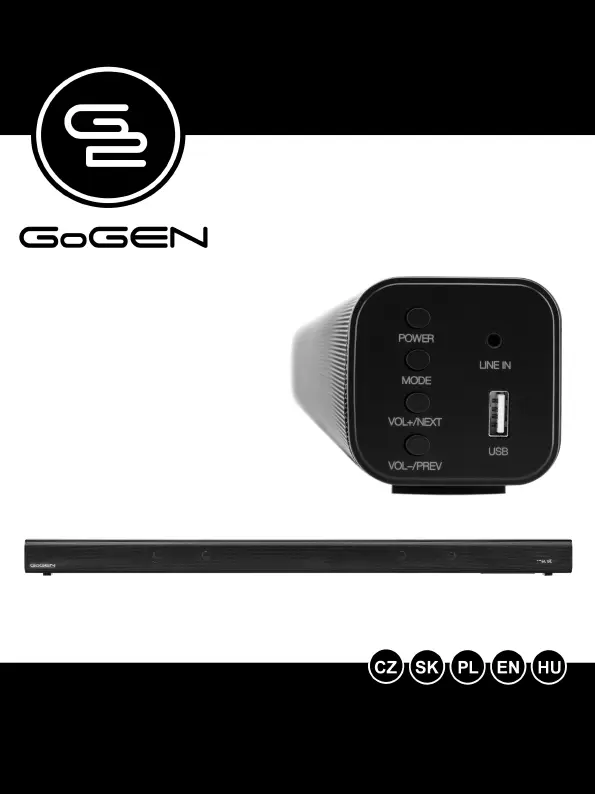
Side Control Panel

Details the functions of the POWER, MODE, VOL+/NEXT, and VOL-/PREV buttons on the side.

Rear Panel Inputs

Identifies input and output ports on the rear, including FM ANT, HDMI ARC, OPTICAL, and SUB OUT.

Remote Control Functions

Lists and explains the functions of each numbered button on the remote control for operation.

Usage and Connections

Optical Audio Input

Instructions for connecting audio via the Optical input and configuring settings for sound output.

HDMI ARC (CEC) Connection

Guide for connecting audio via HDMI ARC, including CEC function for device control.

Audio Modes and Specifications

Bluetooth Connectivity

Steps to connect mobile devices via Bluetooth for wireless audio playback.

USB Media Playback

Instructions for playing music files from a USB storage device.

FM Radio Operation

How to tune into and select FM radio stations.

Line-In Audio Connection

Guide for connecting audio sources using the 3.5mm or RCA Line-In cable.

Technical Specifications

Details on power, channel, Bluetooth, speaker, inputs, display, and dimensions.

Troubleshooting and Disposal

Common Problems and Solutions

Addresses issues like no power, no sound, unresponsive buttons, and remote control problems.

Important Usage Warnings

Critical warnings against using the product near water and emphasizes professional servicing.

Child Safety Warning

Keeps plastic bags away from babies and children to prevent suffocation hazards.

Disposal of Electronic Equipment

Guidance on proper recycling of electrical and electronic equipment according to EU standards.

Charging Adapter Specifications

English Adapter Details

Technical specifications for the charging adapter in English, including input/output voltage and power.

Multilingual Adapter Information

Adapter specifications translated into Czech, Slovak, Polish, and Hungarian.

Gogen TAS 930 Specifications

General IconGeneral
BrandGogen
ModelTAS 930
CategorySpeaker System
LanguageEnglish