4 Software Installation
Notes: The default password is 0000 for this media box.
A
ll the Instructions and pictures here are for reference only, please make the product you
h
ave as the standard and refer to the actual items.
4.1 First Installation Guide
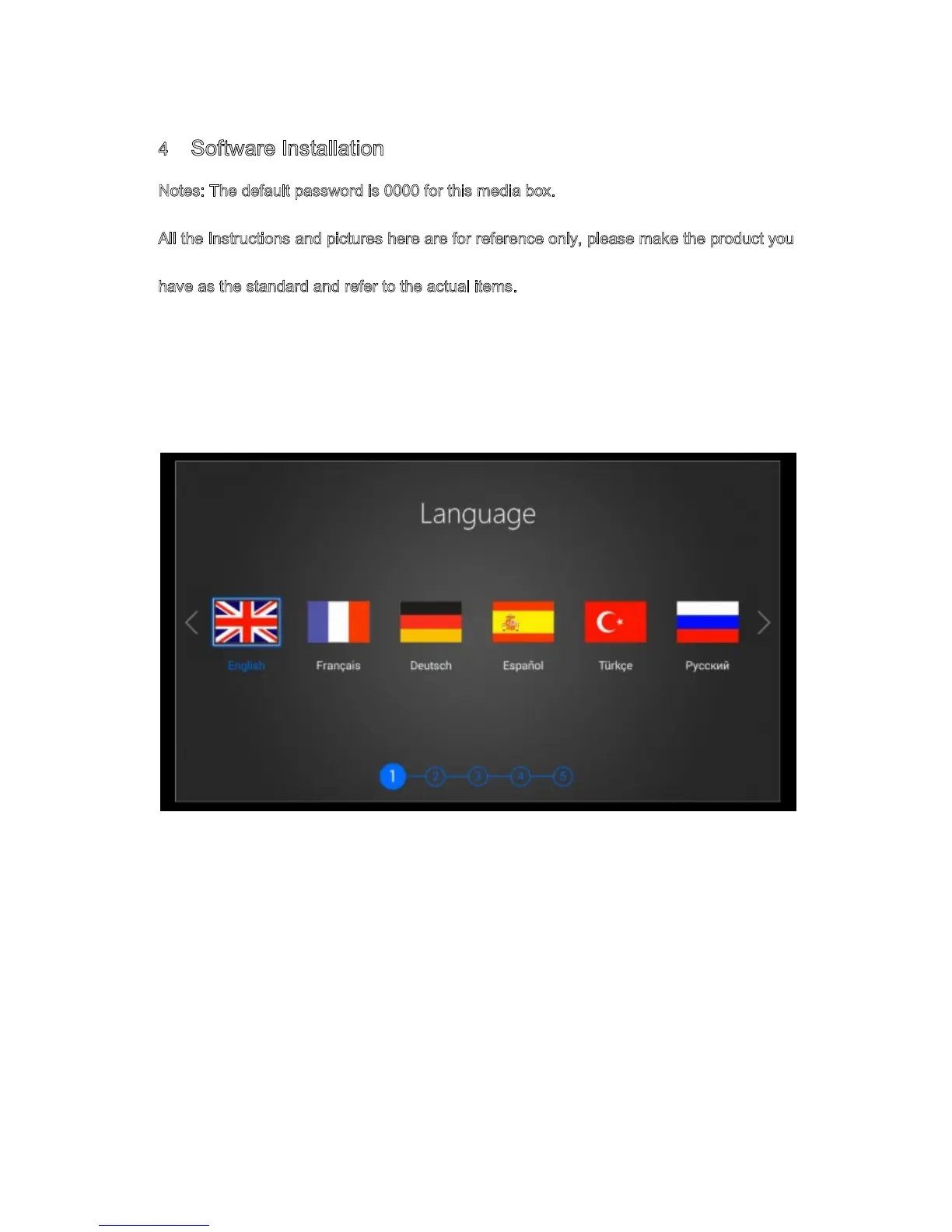
First installation guide helps you to choose prefer menu language, HDMI output resolution,
screen size and configure internet connection through Ethernet or Wi-Fi.
4.2 Search Digital Satellite TV
DTV First Installation helps you to search digital Satellite TV/Radio channel automatic.
Setup Aspect ratio output, subtitle and then choose next button to scan satellite
TV/Radio channel. Please contact customer service center for help if you have any
question when search TV/Radio channel list manually.


 To Next Page