Chapter2. Installation 14
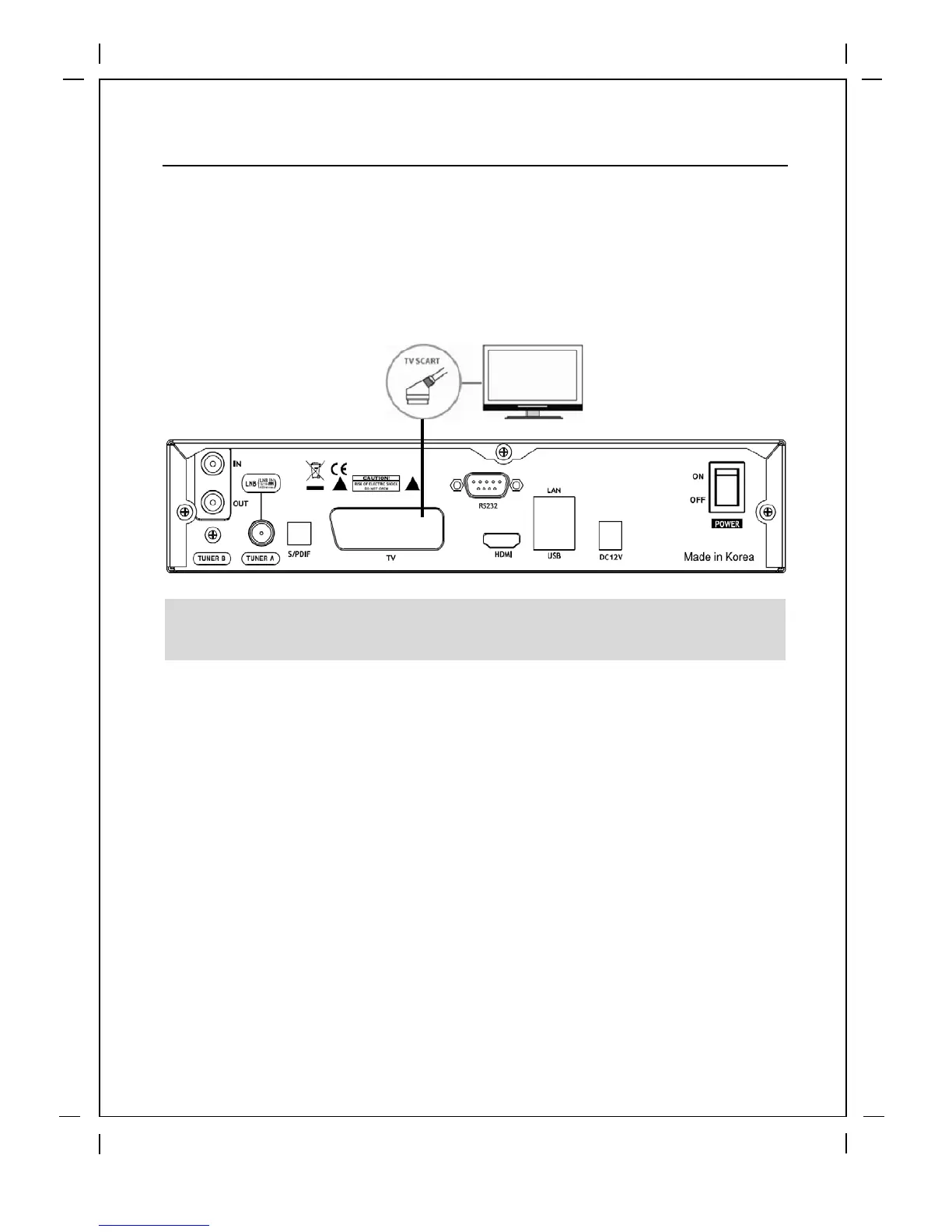
B. Connecting TV SCART Cable
In case your TV is analogue TV, SCART cable is the most common method. Connect
your TV to XPEED LX2 using SCART cable as follows
2.3 Connecting Power
A power unit is provided as one of the basic accessories of XPEED LX2.
● Connect the power unit to the connector at the rear panel of XPEED LX2.
Turn on the power switch at the rear panel.
NOTE: When you have an A/V receiver with S/PDIF digital audio input, this connection is
recommended to enjoy the best audio quality, especially for the Dolby Digital sound.


 To Next Page
 Loading...