Compass HD Owner’s Manual – Models: GP620 SS, GP620 CC Revised 10/27/14
18
COMFORT SETTINGS
HEADREST HEIGHT ADJUSTMENT
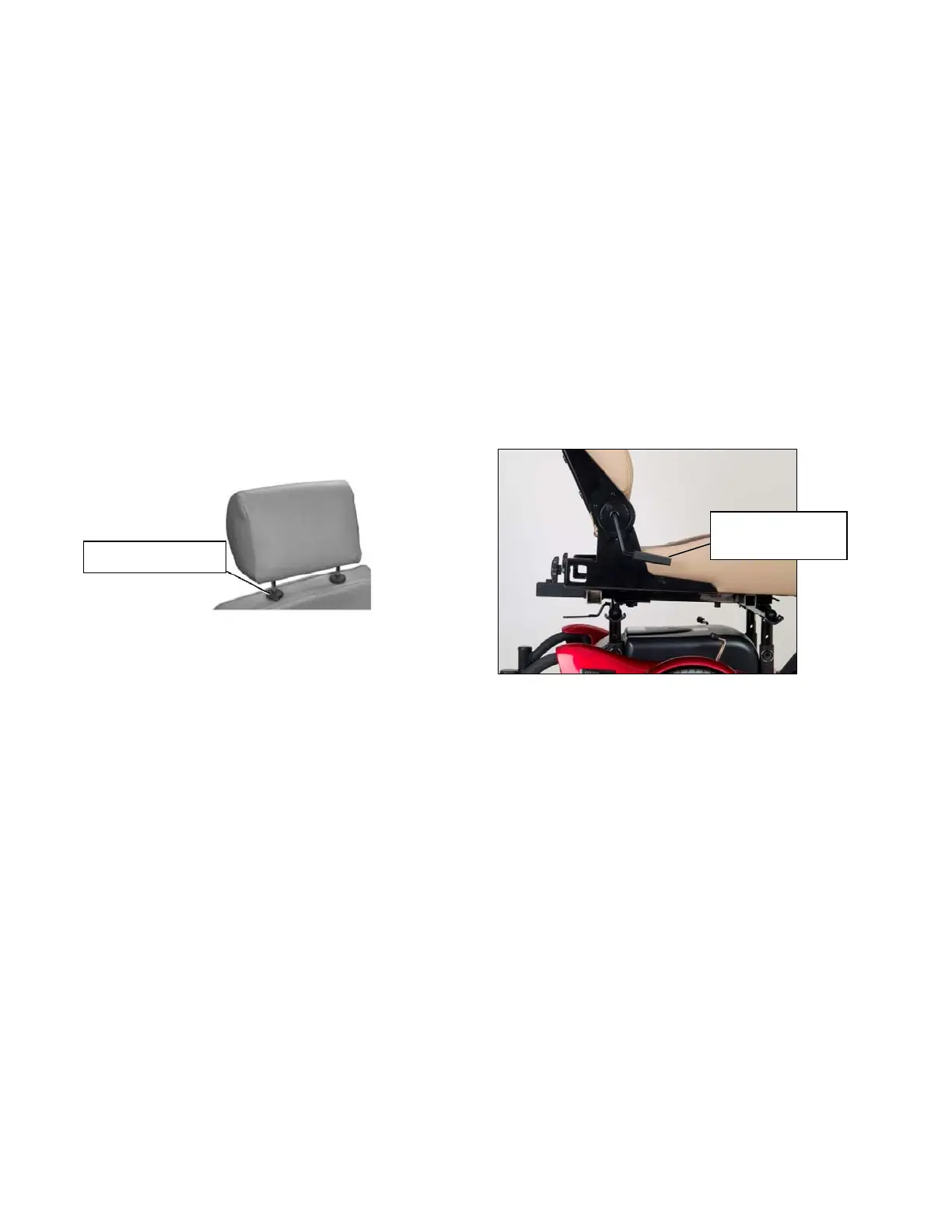
1. Push and then release the clamp on the left post of the headrest while you are pulling
up or pushing down on the head rest. See figure 10.
2. The headrest will “click” to a stop in one of the preset positions.
3. Repeat step 1 until the headrest is at the desired height.
Figure 10 Figure 11
BACKREST ANGLE ADJUSTMENT
NOTE: The backrest can be folded down to minimize chair height during transport.
1. Pull up on the adjustment lever (see figure 11) and push against the backrest until the
backrest is in the desired position.
2. Release the lever.
3. To return the backrest to the upright position, pull up on the lever and move the
backrest to the desired position.
Backrest Angle
Ad
us
ment Leve
Headrest Clamp


 To Next Page