Compass HD Owner’s Manual – Models: GP620 SS, GP620 CC Revised 10/27/14
19
COMFORT SETTINGS
FOOTREST ANGLE ADJUSTMENT
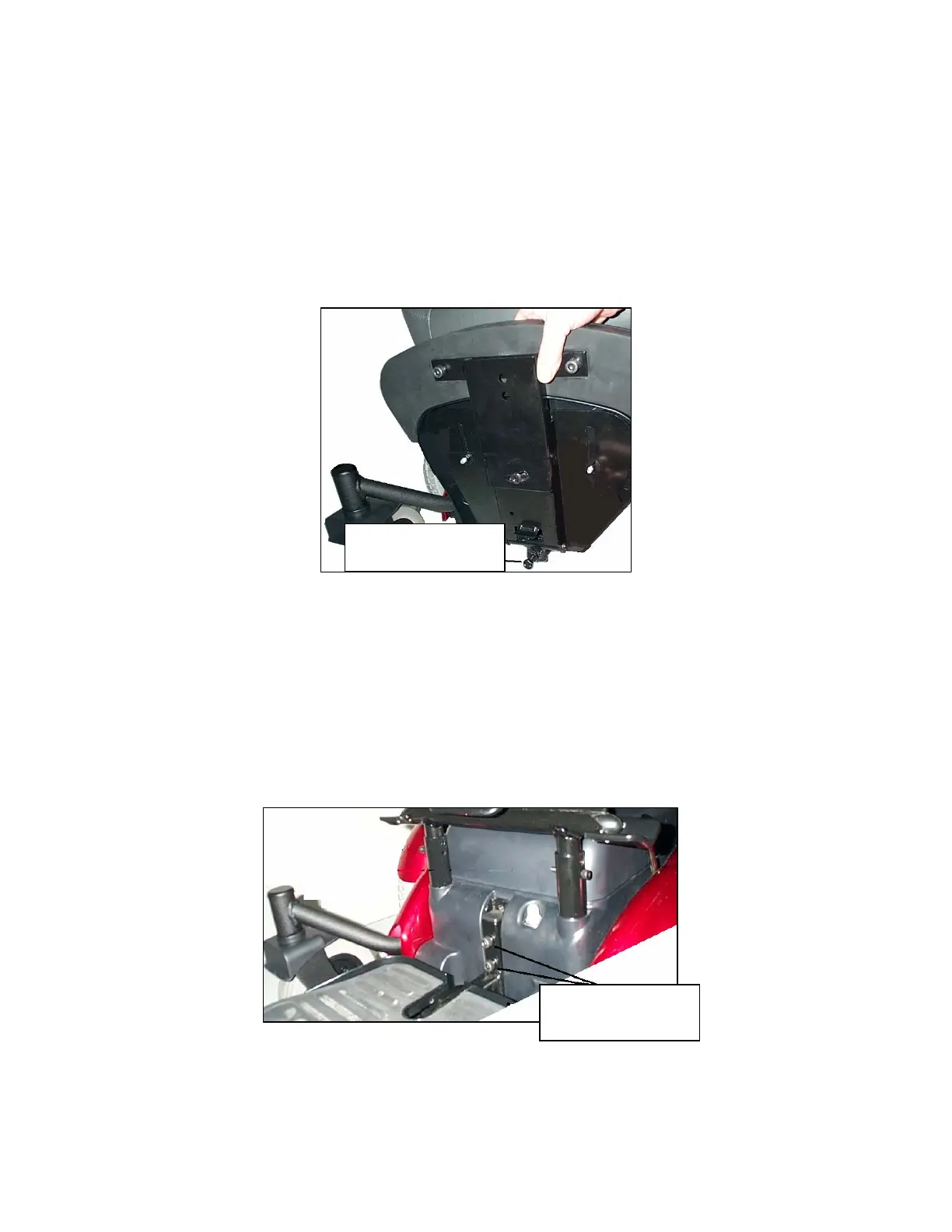
1. Fold the footrest upward for easy access to the angle adjustment bolt. See figure 12.
2. Use a wrench to turn the adjustment bolt counter-clockwise to increase the footrest
angle.
3. Use a wrench to turn the adjustment bolt clockwise to decrease the footrest angle.
Figure 12
FOOTREST HEIGHT ADJUSTMENT
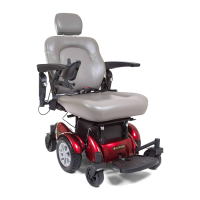
1. Remove front cover.
2. Use an Allen wrench to remove the bolts indicated in figure 13.
3. Slide the footrest to the desired height.
4. Align the bolt holes in the footrest and the footrest bracket.
5. Install and tighten the bolts.
Figure 13
Footrest Angle
Ad
ustment Bol
Footrest Height
Adjustment Bolts


 To Next Page