22
If a DHCP server is not used in the wireless network, then before scanning wireless networks,
you will need to disable the DHCP function and manually prescribe the necessary network
parameters that will be used for connection.
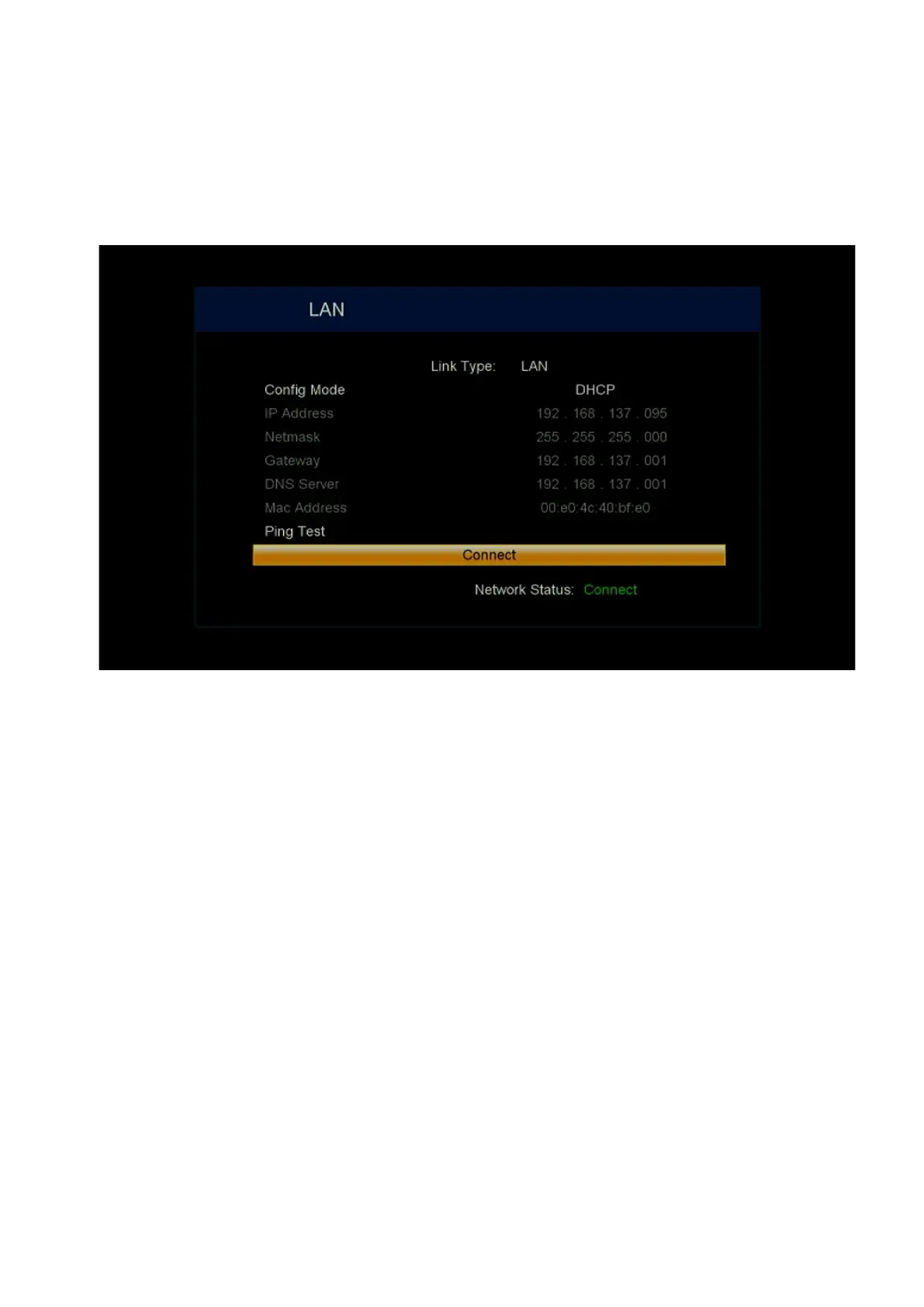
3.2. Ethernet
This section will become active only after connecting a USB to Ethernet adapter to the
receiver on a supported Realtek RTL8152B (81RY52) chip and connecting with a computer
network cable to the Ethernet (LAN) port of the router. If DHCP is enabled in the router, you
need to select the Connect line and press the OK button on the remote control. As a result, a
connection to the wired network will be made.
If a DHCP server is not used on the router, then before making the connection, you will need
to manually register the necessary network parameters that will be used for the connection.
3.3. STB Name
This menu contains options that are used to connect to an access point when not connected
to a TV using an HDMI cable. Basically, such a receiver connection can be used in the
absence of a TV and/or performing installation of a satellite or terrestrial antenna on the roof.
STB Name – the name of the set-top box is set, which can be found in the connected devices
of the smartphone hotspot, or in the RAMF application. More details can be found in the
separate RAMF options manual. In the case of using several receivers in the same local
network, it is recommended to use their name in accordance with the place to avoid confusion;
Auto AP name – the name of the Wi-Fi access point to which the connection will be made is
entered;


 To Next Page