7
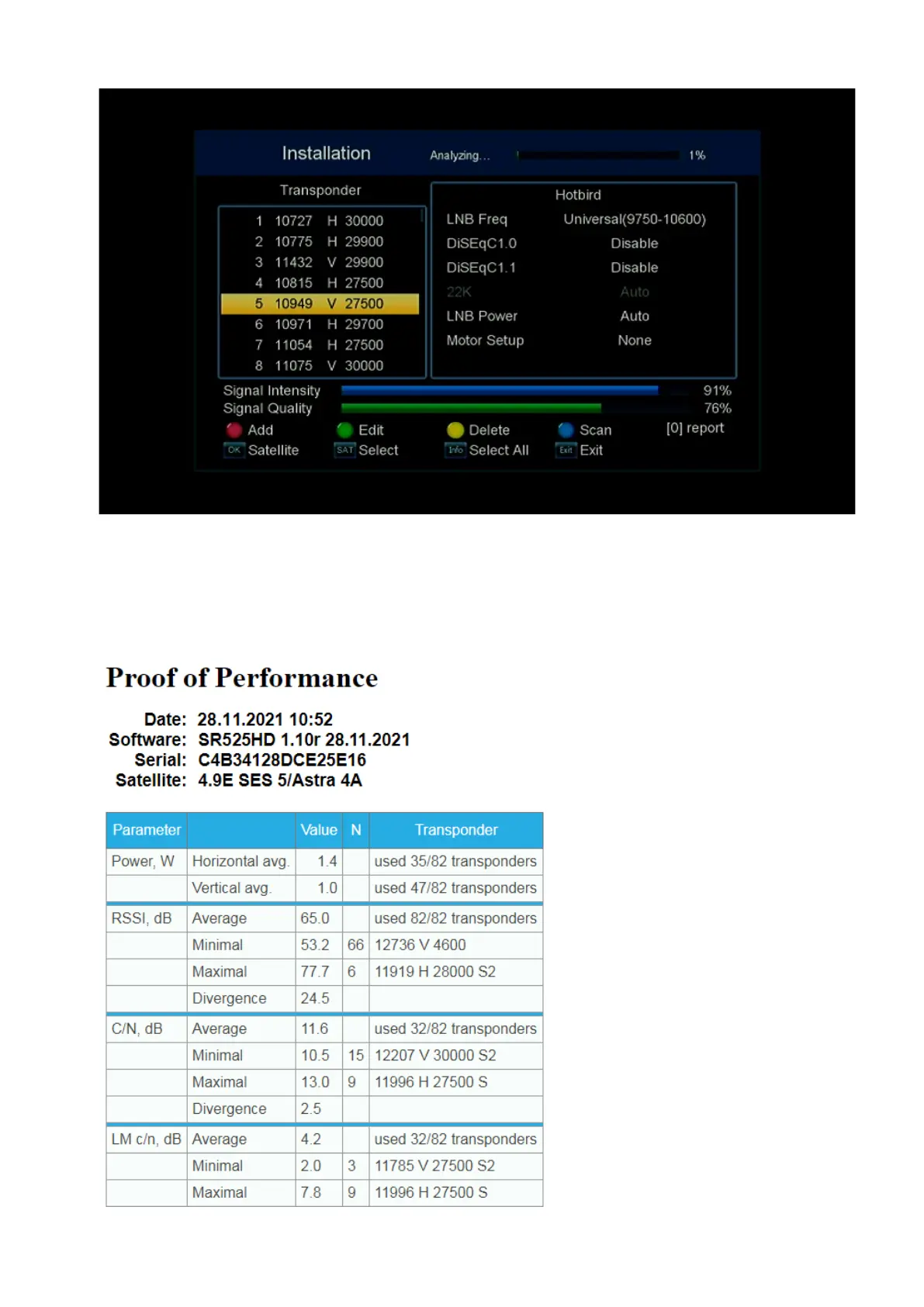
Next, we check that the required satellite is selected, and the settings are correct for it. Next,
press the 0 button on the remote control, as a result of which the receiver analyzes all
registered transponders and writes the information received into an HTML file with the name
of the satellite and the date of creation.
The HTML file can be viewed on a computer in any browser.


 To Next Page