9
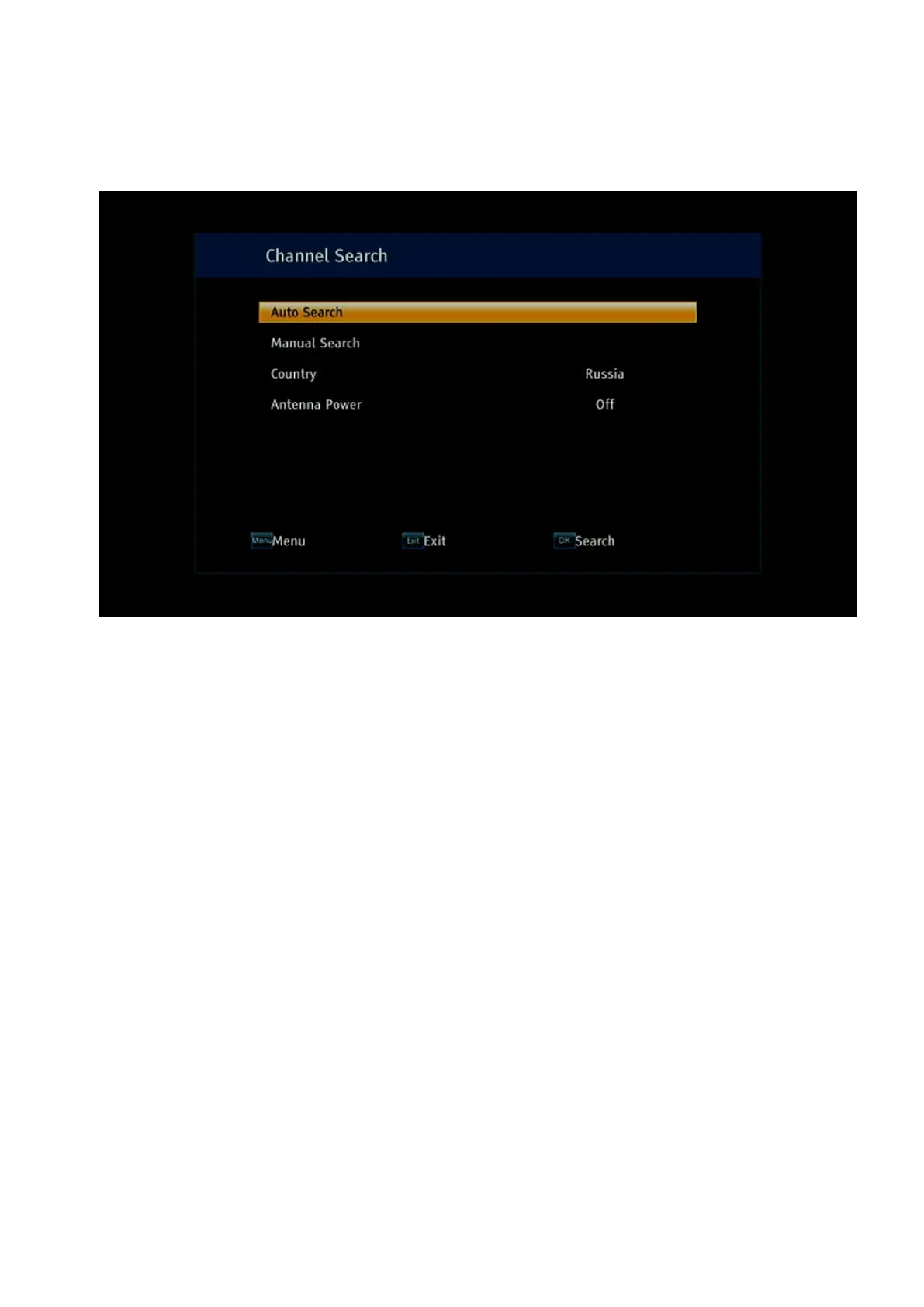
In the window that opens, using the up/down buttons, you will need to select the Country
menu item, press the OK button, select a country from the list using the up/down buttons (for
example, Russia) and then press the OK button. This is necessary to preload the multiplexes
parameters used in a particular country for broadcasting.
In the case of using an active terrestrial antenna with a built-in signal amplifier, use the
up/down buttons to select the line – Antenna power and use the right/left buttons to select the
value – On. As a result, the +5V supply voltage will be applied to the terrestrial antenna. When
using a passive terrestrial antenna, do not supply power to it, as this can cause a short circuit
in the power circuit.
After making the presets for automatic channel scanning, use the up/down buttons to select
the Auto Search menu line and press the OK button. As a result, the receiver will scan all
registered multiplexes in automatic mode, and if there is a satisfactory signal level, it will find
all broadcast channels.
If the frequencies are already known, or if you need to tune the antenna to the maximum
signal, then use the up/down buttons to select the line Manual Search and press the OK
button. As a result, the following menu will be displayed:
Frequency Channel – if you know the channel number on which the broadcast is carried out,
then use the left/right buttons to select its value;
Frequency (kHz) – if you know the frequency of the channel on which the broadcast is carried
out, then using the number buttons, enter its value in kHz;
Bandwidth – use the left/right buttons to indicate the bandwidth in MHz: 6M, 7M or 8M;
Network Search – allows you to search for channels transmitted by DVBT/T2 operators. In
this case, indicate one operator frequency, and if there is information about the network on it,
the receiver will determine all operator multiplexes.


 To Next Page