EasyManua.ls Logo

Goldstar DH2510A - User Manual

Goldstar DH2510A
28 pages
Print Icon
To Next Page IconTo Next Page
Loading...
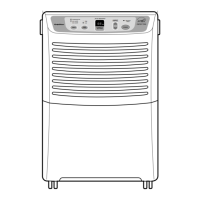
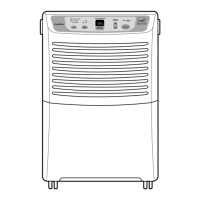
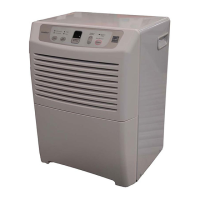
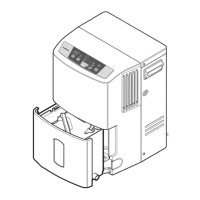
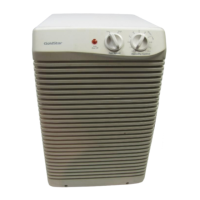
Dehumidifier
SERVICE MANUAL
MODEL: DH2510A
DH4010A
DH5010A
CAUTION
- BEFORE SERVICING THE UNIT,
READ THE SAFETY PRECAUTIONS IN THIS MANUAL.
- ONLY FOR AUTHORIZED SERVICE.
http://biz.LGservice.com
http://www.LGservice.com/techsup.html

Questions and Answers

  • V
    Victoria CunninghamJul 31, 2025
    Why is my Goldstar DH2510A Dehumidifier not turning on?
    • A
      Angela HatfieldJul 31, 2025
      If your Goldstar Dehumidifier isn't operating, several factors could be at play. First, ensure the power supply at the outlet is working correctly and that the plug is properly installed. If the 'Auto Shut Off' light is on, empty the bucket. Also, check that the humidity control isn't set to the 'Off' position; turn it towards 'Max'. A disconnected wire or loose connection could also be the culprit; refer to the wiring diagram to fix it. Finally, test the capacitor and replace it if it's not within ±10% of the manufacturer's rating or if it's shorted, open, or damaged.
  • S
    Scott StoutAug 8, 2025
    What to do if my Goldstar DH2510A does not run?
    • A
      Aaron HarperAug 9, 2025
      If your Goldstar Dehumidifier isn't running, check the following: Ensure the humidistat is set to a low level and that the bucket full lamp isn't lit. Check the circuit breaker. Inspect the wiring and replace if it fails. Verify the room temperature is above 65°F (18°C). Also, check the motor assembly, compressor, defrost control, and capacitor for any failures.
  • L
    Lonnie MoralesAug 15, 2025
    How to improve dehumidification of Goldstar DH2510A?
    • M
      Michelle RyanAug 16, 2025
      To improve the dehumidification of your Goldstar Dehumidifier, consider these points: If the relative humidity is low, turn the dehumidifier off. Ensure free and unobstructed air circulation by moving the unit. Clean the evaporator and/or condenser assembly if they are clogged with dust and dirt. Clean the air filter if it's dirty. Also, check the Motor Assembly and repair or replace it if it is not operating.
  • A
    Alicia MendozaAug 23, 2025
    What to do if my Goldstar DH2510A Dehumidifier cannot dehumidify?
    • D
      denise63Aug 23, 2025
      If your Goldstar Dehumidifier is unable to dehumidify, check for loose wiring. Also, check for gas leakage at the heat exchange assembly and connecting tube.

Summary

Preface and General Information

Safety Precautions

Essential safety measures to follow before servicing the dehumidifier unit.

Circuit Diagrams

Disassembly Procedures

Mechanical Parts Disassembly

Step-by-step guide for disassembling physical components like the bucket and grille.

Control and Cycle Parts Disassembly

Instructions for removing control components like switches, humidistat, and capacitors.

Refrigeration System Replacement and Charging

Comprehensive guide on evacuating, recharging, and sealing the refrigeration system.

Troubleshooting Guide

Dehumidifier Does Not Run

Troubleshooting steps for when the dehumidifier fails to start or run.

Cannot Dehumidify

Diagnosing and resolving problems related to poor or no dehumidification.

Ineffective Dehumidifying

Steps to address situations where dehumidification is weak or insufficient.

Noisy Operation

Identifying and fixing causes of unusual noise during operation.

Motor Runs, Compressor Does Not

Troubleshooting steps when the motor runs but the compressor does not.

Defrost Control Issues

Diagnosing and resolving issues with the defrost control function.

Insufficient Dehumidification

Addressing root causes for inadequate dehumidification performance.

Goldstar DH2510A Specifications

General IconGeneral
BrandGoldstar
ModelDH2510A
CategoryDehumidifier
LanguageEnglish

Related product manuals