EasyManua.ls Logo

Goldstar DH3010B - User Manual

Goldstar DH3010B
27 pages
Print Icon
To Next Page IconTo Next Page
Loading...
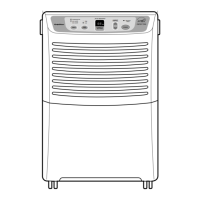
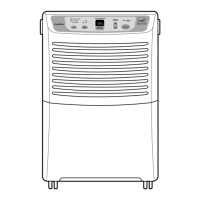
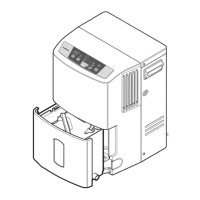
Dehumidifier
SERVICE MANUAL
MODEL: DH3010B(DHA3012DL)
DH4010B(DHA4012DL)
DH5010B(DHA5012DL)
CAUTION
- BEFORE SERVICING THE UNIT,
READ THE SAFETY PRECAUTIONS IN THIS MANUAL.
- ONLY FOR AUTHORIZED SERVICE.
http://biz.LGservice.com
http://www.LGservice.com/techsup.html

Questions and Answers

  • R
    Rebecca HuertaJul 30, 2025
    Why won't my Goldstar DH3010B Dehumidifier start?
    • F
      Felicia MarshallJul 30, 2025
      There are several reasons why your Goldstar Dehumidifier might not be starting. First, check the power supply at the outlet and correct it if there's no power. Second, ensure the plug is properly installed or replace it if the contact is poor. Also, if the bucket is full and the Auto Shut Off light is on, empty the bucket and replace it correctly. Make sure the humidity control is not at the Off position; turn it towards Max. Finally, check for any disconnected or loose wires, referring to the wiring diagram for terminal identification, and repair or replace any loose terminals. If none of this helps, test the capacitor and replace it if it's not within ±10% of the manufacturer's rating or if it's shorted, open, or damaged.
  • J
    Jonathan BlakeAug 4, 2025
    How to fix a noisy Goldstar DH3010B?
    • T
      Tiffany PerkinsAug 4, 2025
      If your Goldstar Dehumidifier is operating noisily, several factors could be the cause. Check the fan for cracks, imbalance, or missing pieces and replace it if necessary. Remove any material that may have plunged and is causing a rattle. Ensure that the tube isn't hitting the frame, and if it is, adjust the tubing carefully. Also, inspect the motor mount to see if the fan blade is hitting the frame; if the mount is loose, tighten it. If the noise seems to be coming from within the compressor, the compressor may need to be replaced. Tighten any loose set screws. Lastly, check the motor assembly bearings; if knocking sounds continue when running or if they are loose, replace the motor. If the motor hums or the noise appears internal while running, replace the entire motor assembly.
  • N
    Nancy HarrisonAug 14, 2025
    Why is my Goldstar Dehumidifier not dehumidifying enough?
    • W
      williamsonelizabethAug 14, 2025
      If your Goldstar Dehumidifier isn't dehumidifying sufficiently, there could be several reasons. If the relative humidity is low, turn the dehumidifier off. Ensure free and unobstructed air circulation by moving the dehumidifier. Clean the evaporator and/or condenser assembly if they are clogged with dust and dirt. Also, clean the air filter if it's dirty. Finally, check the motor; if it is not operating, repair or replace it.
  • A
    Anthony CameronAug 23, 2025
    Why is my Goldstar DH3010B Dehumidifier dripping water?
    • B
      Bailey OwensAug 25, 2025
      If your Goldstar Dehumidifier is dripping water, ensure the bucket is properly positioned on the hangers of the drain pan. Check the connection for any looseness and repair it if needed. If there's a leak in the bucket, replace it. Remember to turn off the unit before removing the bucket for emptying to prevent drips. Also, check the micro switch and float if the bucket overflows.
  • K
    kathleen51Nov 7, 2025
    What to do if the compressor cycles on overload protector (O.L.P.) in Goldstar Dehumidifier?
    • C
      Claudia SpearsNov 7, 2025
      If the compressor in your Goldstar Dehumidifier is cycling on the overload protector (O.L.P.), there are several potential causes. First, check the line voltage to ensure it's between 103.5V and 126.5V volts; if it's intermittent, provide a new supply. Ensure free and unobstructed air flow by moving the dehumidifier. Clean any dust or dirt on the Heat Exchange. If the motor isn't running, determine the cause and replace it if needed. Check and repair the P.T.C. assembly, if one is present. Inspect the electrical circuit for a short circuit or ground and repair it. Allow 2 or 3 minutes for pressure to equalize before starting the compressor. Test the capacitor and check the terminals for loose connections, repairing or replacing them as necessary. Check the refrigeration system for any rest...
  • M
    Meghan SmithNov 17, 2025
    Why does the motor run but the compressor not run on my Goldstar DH3010B?
    • J
      Jeffrey MoralesNov 17, 2025
      If the motor runs but the compressor doesn't on your Goldstar Dehumidifier, check the following: 1. Ensure the voltage is between 103.5V and 126.5V. If it's not, call an electrician. 2. Check the wire connections and correct them if they are not according to the wiring diagram; if loose, repair or replace the terminal; if the wires are disconnected, refer to wiring diagram for identification, and replace the wires. 3. Check the rotary switch for continuity, referring to the wiring diagram for terminal identification, and replace the switch if the circuit is open. 4. The Defrost Control senses frost build-up on the evaporator coil and automatically shuts off the compressor. The fan continues to run, drawing air across the coil, and melting the frost. When the coil is defrosted, the co...

Summary

Preface and General Information

Safety Precautions

Essential safety guidelines for operating and servicing the dehumidifier.

Features and Dimensions

Key features and physical dimensions of the dehumidifier.

Specifications

Technical specifications for different dehumidifier models.

Control and Operation Guide

Explanation of controls, how the dehumidifier works, and its location.

Operational Modes and Components

Details on micro switch, auto defrost, humidistat, and drier functions.

Circuit Diagrams and Parts

Circuit Diagram for DH3010 B;DHA3012 DL

Wiring diagram and parts list for the DH3010B/DHA3012DL model.

Circuit Diagram for DH4010 B;DH5010 B (Defrost Control)

Wiring diagram and parts list for DH4010B/DH5010B (Defrost Control Type).

Circuit Diagram for DH4010 B;DH5010 B (Thermostat Control)

Wiring diagram and parts list for DH4010B/DH5010B (Thermostat Control Type).

Disassembly and Repair Procedures

Mechanical Parts Disassembly

Instructions for disassembling mechanical components like the bucket, filter, grille, and cabinet.

Control Parts Disassembly

Steps for removing control components such as switches, humidistat, and neon lamp.

Fan, Motor, Shroud, and Barrier Disassembly

Instructions for removing fan, motor, shroud, and barrier components.

Refrigerating Cycle: Heat Exchange Assembly

Procedure for removing the condenser, evaporator, and capillary tube assembly.

Refrigerating Cycle: Compressor Components

Steps for removing PTC/O.L.P. and compressor for reciprocating or rotary types.

Refrigeration System Replacement Procedure

Detailed guide on replacing the entire refrigeration system, including evacuation and charging.

Troubleshooting Guide

Troubleshooting: Unit Does Not Start

Diagnosing and resolving issues when the dehumidifier fails to start.

Troubleshooting: Poor Drying Performance

Identifying causes and solutions for insufficient moisture removal.

Troubleshooting: Other Operational Issues

Addressing ineffective dehumidification, noise, and water drips.

Troubleshooting: Compressor and Defrost Issues

Resolving problems with compressor operation, defrost control, and voltage.

Troubleshooting: Motor and Overload Protector

Diagnosing issues with the motor, overload protector, and refrigerant system.

Exploded Views and Parts Lists

Exploded View: DH3010 B;DHA3012 DL

Illustrated breakdown of parts for the DH3010B/DHA3012DL model.

Exploded View: DH4010 B;DH5010 B (Defrost Control)

Illustrated breakdown of parts for DH4010B/DH5010B (Defrost Control Type).

Exploded View: DH4010 B;DH5010 B (Thermostat Control)

Illustrated breakdown of parts for DH4010B/DH5010B (Thermostat Control Type).

Replacement Parts List: DH3010 B;DHA3012 DL

List of part numbers for the DH3010B/DHA3012DL model.

Replacement Parts List: DH4010 B;DH5010 B (Defrost Control)

List of part numbers for DH4010B/DH5010B (Defrost Control Type).

Replacement Parts List: DH4010 B;DH5010 B (Thermostat Control)

List of part numbers for DH4010B/DH5010B (Thermostat Control Type).

Goldstar DH3010B Specifications

General IconGeneral
BrandGoldstar
ModelDH3010B
CategoryDehumidifier
LanguageEnglish

Related product manuals