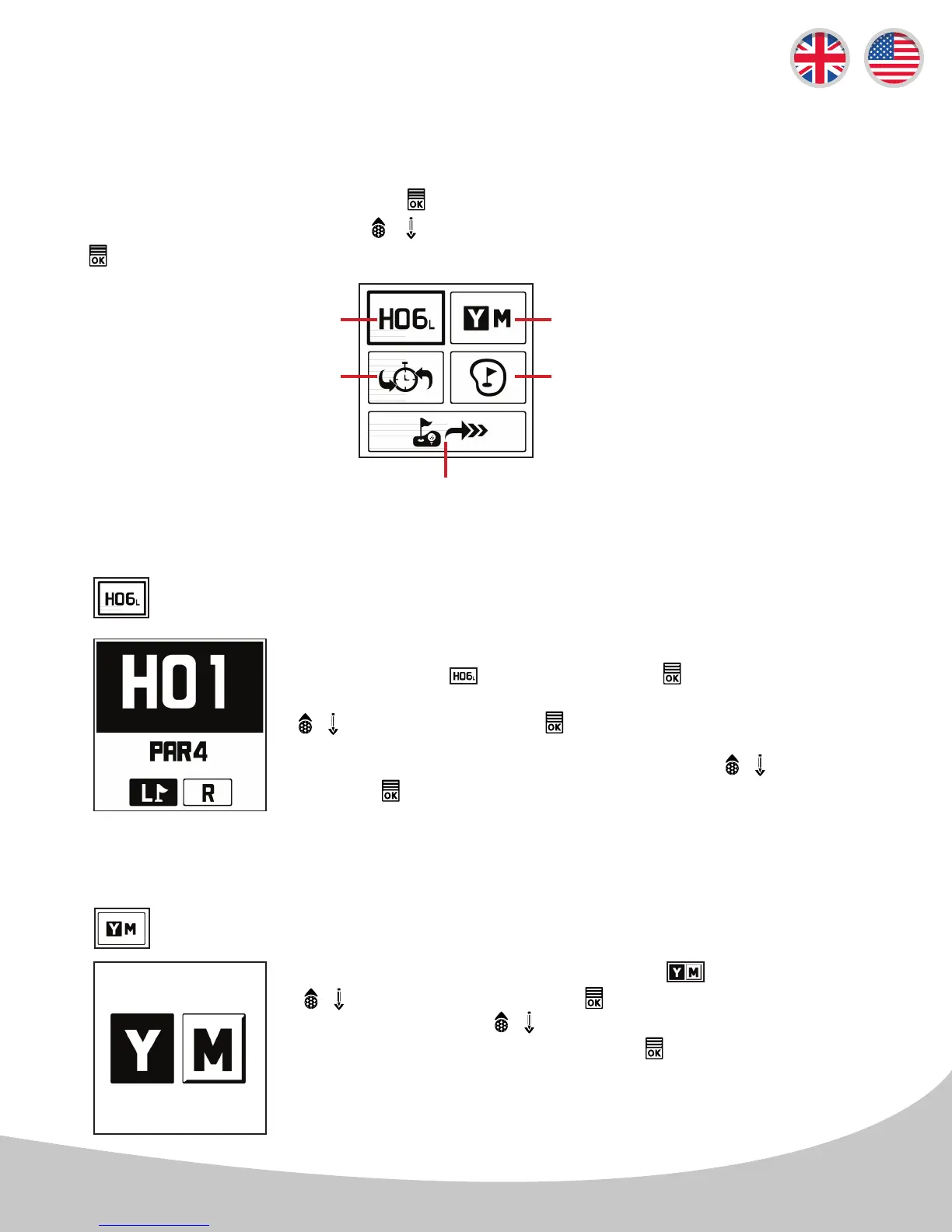
From the Play Golf Menu, highlight the option using the
/ buttons then press the button. Toggle between Yards
& Meters with the / buttons, and confirm the preferred
measurement setting by pressing the button.
4.1 Settings & Menu
From Play Golf Mode, press and hold the button for 2 seconds to access the Play Golf Menu and
scroll through the selections with the / buttons. Select the highlighted menu option by pressing
the button.
Manual Hole Selection
and Left & Right Green
Dynamic Green and Pin Placement
Set Yards / Meters Measurements
*Note: Device Preset to Yards
Quick Selection for Prior Hole
Manual Hole Selection or Left & Right Green
To change holes or to change the Left & Right Green from the Play Golf
Menu, select the icon by pressing the button. The Hole number
will be ashing when active, navigate to the desired Hole by using the
/ buttons, then press the button to select desired hole.
Left & Right
Green
Set Yards / Meters Measurements
Exit Game
4.2 Settings & Selections
To select the left or right green* navigate with the / buttons then
press the button to conrm the selection.
*Note: The Left & Right Green selection is only available if there is a left &
right green on the course.
*Note: Device is defaulted to Yards from packaging.
9
4. SETTINGS & MENU



 To Next Page