1 Welcome
2 Your Action Camera
2.1 In the Box
2.2 Front View
2.3 Rear View
2.4 Left Side View
2.5 Right Side View
2.6 Top View
2.7 Extras
3 Assembly
3.1 Camera Shield
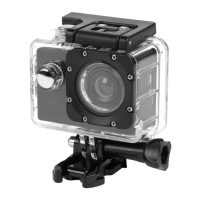
3.2 Waterproof Case
3.3 Handlebar Mount
3.4 Helmet Mount
3.5 Suction Cup Mount
4 Functionality
4.1 Micro SD Card Installation
4.2 Using the Action Camera
4.3 Recording a Video
4.4 Playing Back Media (Playback Mode)
4.5 Changing the System Settings
4.6 Changing the Camera Mode Settings
4.7 Changing the Video Mode Settings
4.8 Transferring Media to a Computer
5 Troubleshooting
6 Technical Specifications
7 Customer Support


 To Next Page