7
02Getting started
6
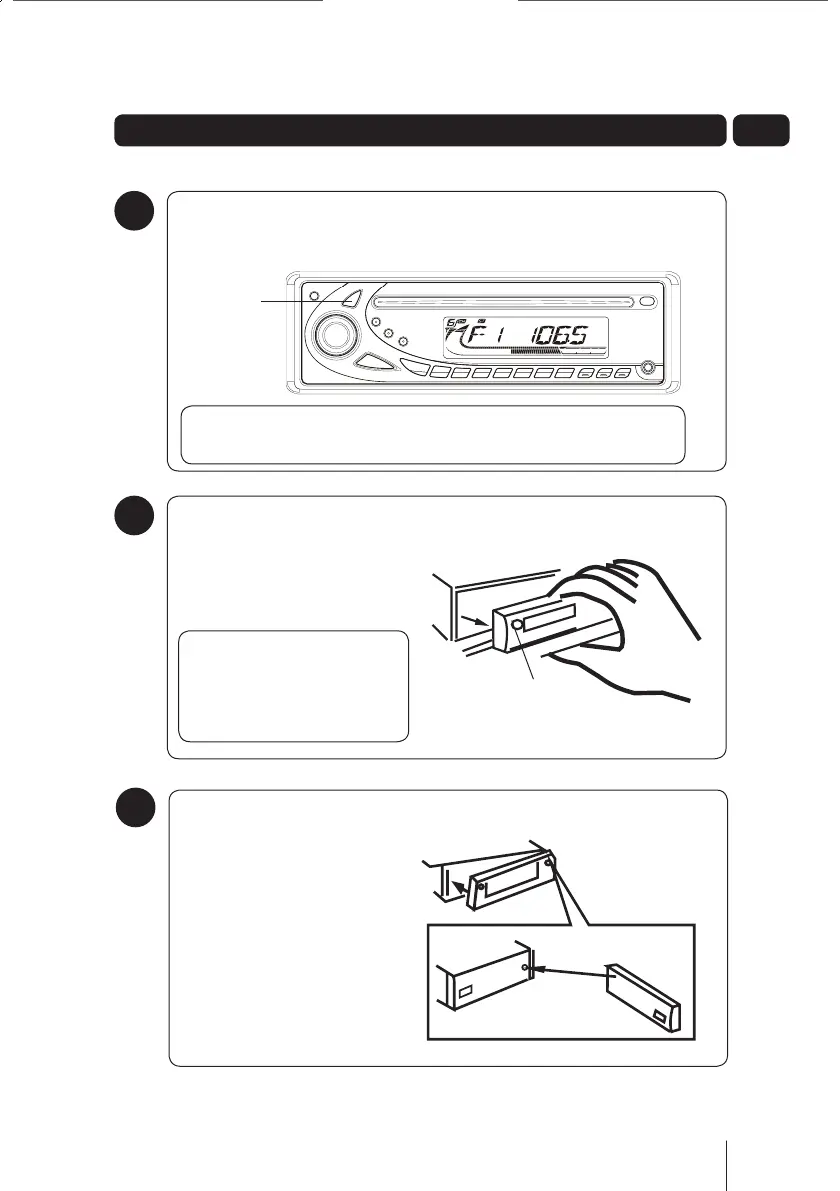
Removing the detachable
front panel
Press the panel release button
on the front panel.
DON’T FORGET! Always
turn off the car radio
before removing the front
panel.
Panel Release
Button
7
5
Switching on the car radio
Press the Power button to switch on the car radio.
DON’T FORGET! Pressing the Power button again will turn off the
car radio.
Power Button
Attaching the
detachable front panel
Attach the front panel at the
right hand side first, and then
push the front panel forwards
to lock it securely into place.
GCE 7357MP3_UserGuide May 10.indd 7 19/05/2010 11:00:31



 To Next Page