Need help?
Do you have a question about the Goodmans GPS04BLK and is the answer not in the manual?
Lists the items included in the CD Boombox packaging and provides support contact information.
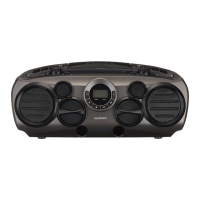
Identifies and describes the components and controls located on the front of the device.
Details the controls and features located on the top surface of the CD Boombox.
Shows the AC mains input socket on the back of the unit.
Explains the functions of various buttons, LEDs, and the LCD display on the control panel.
Steps for connecting the power cable and selecting the operating mode (RADIO/CD/Bluetooth/AUX).
How to enter and exit standby mode and details on the auto power-saving feature.
Instructions on how to control the audio output level using the volume control.
How to press the BASS button to increase or decrease the bass output.
Guide to opening the compartment and correctly inserting 8 D-size batteries.
Procedure for connecting headphones via the 3.5mm PHONES output socket.
Instructions for loading, playing, skipping tracks, programmed play, and repeat functions for CDs.
Steps for tuning radio stations, selecting bands, and adjusting volume for optimal reception.
How to connect external audio sources via the AUX input and adjust volume.
Guide to pairing a Bluetooth device and controlling playback functions remotely.

 To Next Page

 General