LOW BATTERY ALERT
WARNING
IMPORTANT NOTES
4. If the unit is not to be used for a long period
of time, make sure that all power sources
are disconnected from the unit. Remove
all batteries fromthe battery compartment,
and unplug the AC adaptor from the wall
outlet. Make it a practice to remove the AC
adaptor by grasping the main body and
not by pulling the cord.
5. The unit employs a laser. The use of
controls or adjustments or performance of
procedures other than those specified
herein may result in exposure to
hazardous radiation.
1. This product does not contain a separate Power On/Off switch. After inserting a disc and
installing batteries / AC adaptor, simply press the Play button to switch on and play a disc.
2. In order to maximize battery life and provide optimum playing time this product
incorporates an Auto Power Off function.
The power to the player will automatically switch off approximately 30 seconds after a disc
has finished playing .
3. The ASP function is automatically engaged when playback starts. For more information,
see section 14 of these instructions.
1. To prevent fire or shock hazard, do not
expose the unit to rain or moisture.
2. To avoid electrical shock, do not open the
cabinet. Refer servicing to qualified
personnel only.
3. Do not put anything in the safety slot. If you
do, the laser diode will be ON when the lid
is still opened.
Programme Play .................................................... Up to 20 tracks
Line output ............................................................. 0.5 0.1V RMS
Earphone output .................................................... 18mW 0.2
Power requirement ................................................ DC 6V external and battery 3V
("AA" Cell x 2)
(LR6 or Ni-Cd rechargeable battery)
Dimension
Weight ................................................................... 230g not including battery (Main Unit)
mW
............................................................. Approx. 136(W) x 31.5(H) x 151.5(D)mm
For improvement purposes, specification and design are subject to change without notice.
Goodmans Product Information Helpline 02392-391100
Helpline No: 02392 - 391100
+
-
+
-
Instruction Manual
GCD709RS/GCD709RB/GCD711K
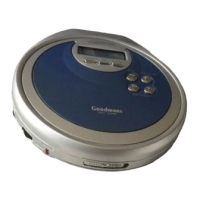
Compact Disc Player
Anti-Shock
When the BATT indicator flashes in the LCD display, this means that the batteries are losing their
charge. In this case the CD player will not function properly and the batteries must be replaced. In
the case that rechargeable batteries are being used follow the instruction on how to recharge the
batteries detailed in this owner's manual.


 To Next Page
 General