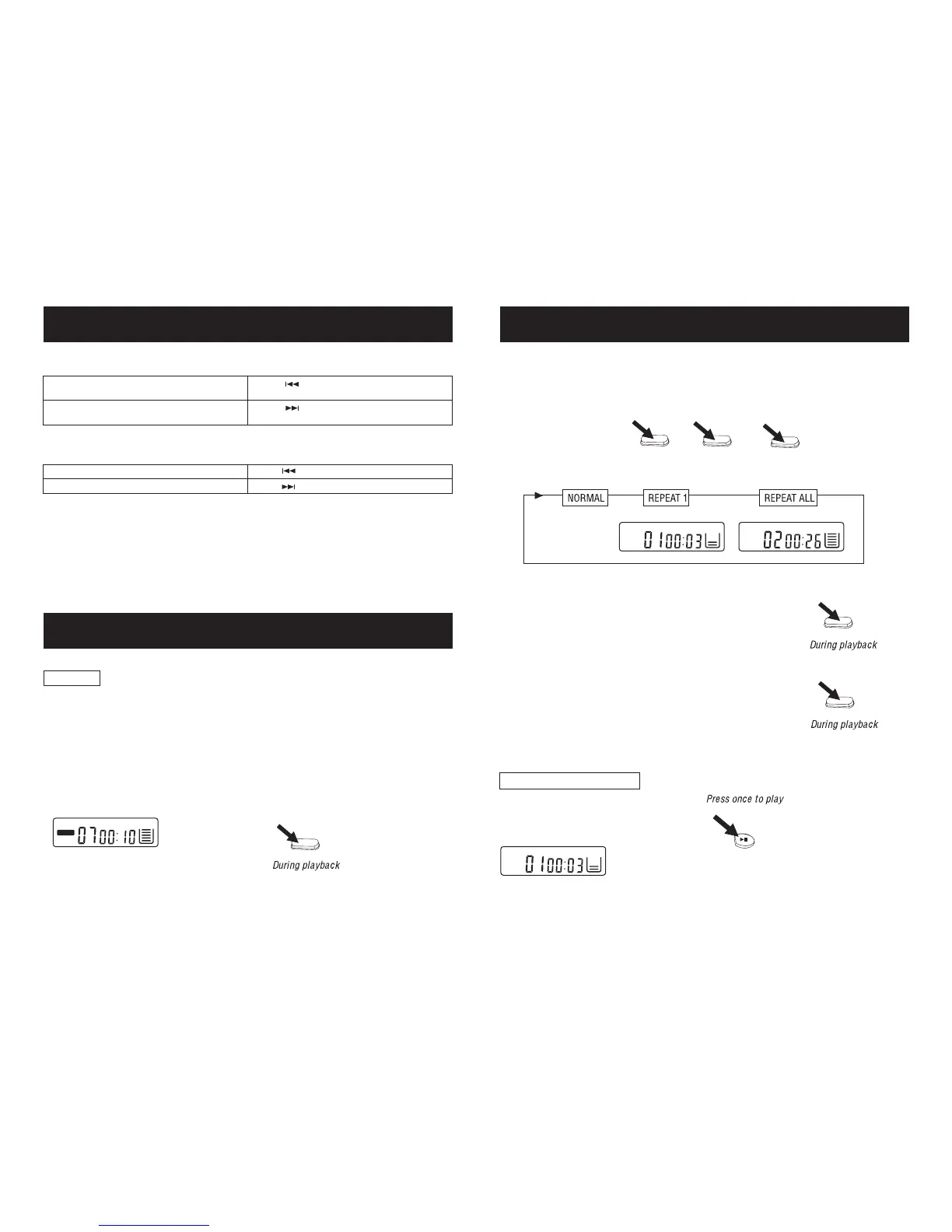
12. REPEAT PLAY MODES
Press the P MODE button once or twice.
The corresponding repeat appears in the display window.
"REPEAT 1" appears in the LCD
display, The current track on the disc
will be repeated.
NOTE: In normal mode none of the above symbols show in the display.
Play the whole disc
"REPEAT ALL" appears in the LCD
display. All tracks on the disc will be
repeated.
NORMAL PLAYBACK
x1
11. RANDOM PLAY
RANDOM
Enables all the tracks on a disc to be played in a Random sequence.
For example: If "RANDOM" is selected while playing track 8, the random function will
commence once track 8 has ended.
When all tracks on a disc have been played the player will automatically stop and power down in
approx. 30 seconds to preserve battery life.
Press P MODE button again to return to the NORMAL play mode.
10. SKIP FUNCTIONS
Low level audio will be heard during the search process to assist in locating the correct point in the
track.
Locating a particular track
Locating a Particular point in a track
To go back to the beginning of the
current or a previous track
Press lightly and repeatedly.
Press lightly and repeatedly.
To go to the beginning of the following
tracks
To go forward at a high speed
To go back at a high speed
Keep depressed
Keep depressed
x4
P MODE
P MODE
x1
P MODE
x2
P MODE P MODE
P MODE
PLAY/
PAUSE
SHUFF
1REPEAT
ALLREPEAT


 To Next Page