EasyManua.ls Logo

Goodmans GCE7357MP3 - User Manual

Goodmans GCE7357MP3
20 pages
Print Icon
To Next Page IconTo Next Page
Loading...
GCE7357MP3
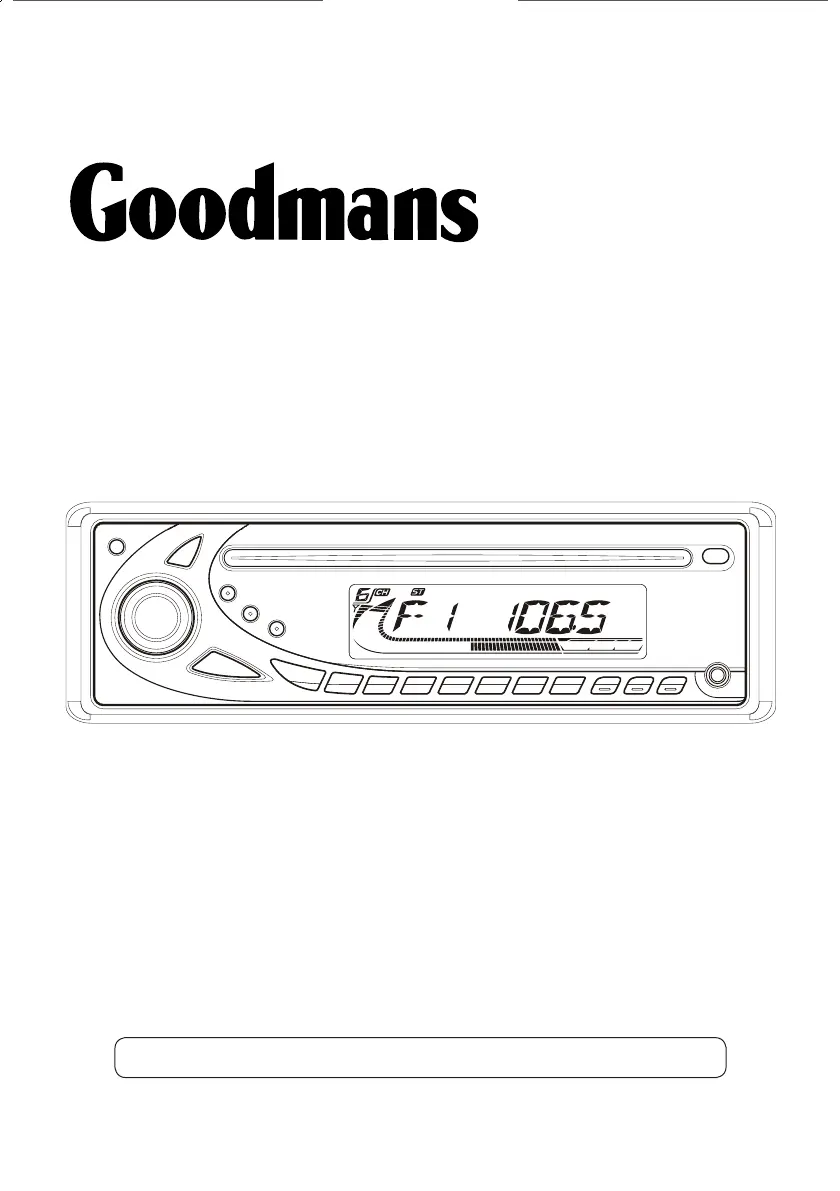
In-Car FM Radio with MP3/WMA CD Player
User Guide
IMPORTANT: Please read all instructions carefully before use and keep for future reference
GCE 7357MP3_UserGuide May 10.indd 1 19/05/2010 11:00:31

Questions and Answers

Summary

Introduction

Safety is Important

Use of any electrical equipment should be undertaken with care. Please read the warnings section on page 18 before using this Car Radio.

Your In-Car Radio

Front View Controls

Details the front panel layout and controls of the car radio, including buttons and display.

Rear Connections

Illustrates the rear connections and ports of the car radio, such as sockets and fuse holder.

Getting Started

Fitting the Outer Sleeve

Instructions for removing transit screws and fitting the outer sleeve into the dashboard aperture.

Connecting the Wires

Guidance on connecting the car radio's wiring harness to the vehicle's audio system and external amplifier.

Fitting the Support Strap

Steps to connect and secure the support strap to the car radio and dashboard for stability.

Fitting the Outer Facia Surround

Instructions on how to fit the outer facia surround after all connections are made.

Switching On the Car Radio

Procedure for powering on the car radio using the Power button.

Detachable Front Panel Operations

Steps for removing and attaching the detachable front panel of the car radio.

Daily Use - Radio

Tuning to a Radio Station

Step-by-step guide on how to tune into radio stations using the car radio's controls.

Storing and Listening to Stations

Instructions for saving favorite radio stations and recalling them for playback.

Automatic Preset Storing and Scan

Methods for automatically storing stations and scanning through presets.

Display and Audio Settings

How to view display information and adjust audio settings like volume, bass, and treble.

Advanced Settings

TA and PI Settings

Configuration for traffic announcement (TA) actions and PI sound/mute settings.

Retune and PI Masking Options

Settings for TA/PI search duration and masking PI/All to prevent anomalies.

Beep Mode Configuration

Customization of audible beep feedback for button presses: always, secondary, or off.

Loud and Mode Selection

How to use the Loud button for bass output and switch between tuner, CD, and AUX modes.

Auxiliary Input Mode

Instructions for connecting and using external audio devices via the AUX input socket.

What is RDS?

Traffic Announcement (TA)

Enables traffic announcements to interrupt playback, displaying a TA icon.

EON TA Modes

Manages traffic announcements from distant EON linked stations (Local/Distance).

Alternative Frequency (AF)

Automatically retunes to a different frequency of the same station when the signal weakens.

Regional Links and Programme Type (PTY)

Allows staying tuned to local stations and selecting stations by programme type.

Using the CD Player

Basic CD Operations

Basic steps for inserting, playing, and ejecting CDs in the car radio.

Track Selection and Playback Control

Instructions on skipping tracks, scanning, pausing, and resuming playback.

Playback Modes (Preview, Repeat, Random)

Functions for previewing tracks, repeating a track, and playing tracks in random order.

MP3;WMA File Operations

Basic operations for playing MP3 and WMA files on CDs, similar to audio CDs.

MP3;WMA Search Functions

Steps to search for tracks or folders by name and navigate directories.

ID3 Tag Information

Displaying ID3 tag information (title, artist, album) for MP3/WMA files.

Troubleshooting

No Power Issues

Troubleshooting steps for when the car radio does not turn on, checking ignition, fuse, and connections.

Disc Loading or Ejection Problems

Solutions for issues with loading or ejecting CDs, including checking disc status and temperature.

No Sound or Button Malfunction

Steps to resolve no sound issues and reset the unit for unresponsive buttons.

Radio Not Working

Troubleshooting for general radio malfunction, checking antenna connection and extension.

Specifications

General Specifications

Details core specifications of the car radio, including model, power, polarity, impedance, and output.

CD Player Specifications

Technical details for the CD player, such as system, sampling frequency, and compatible formats.

Radio Specifications

Information on the radio's FM/MW frequency ranges and memory preset station capacity.

Warnings

Sound Level Warnings

Guidance on protecting hearing by establishing safe listening levels and avoiding distortion.

General and Safety Precautions

Basic safety information, precautions against moisture, and consultation advice.

Reset Procedure

Instructions on when and how to perform a hardware reset using a pen or thin object.

Guarantee

Goodmans GCE7357MP3 Specifications

General IconGeneral
BrandGoodmans
ModelGCE7357MP3
CategoryCD Player
LanguageEnglish

Related product manuals