Programmed Play
To program an alternative playback order of up to 20 tracks
follow the below steps.
1. Make sure the unit is not playing a disc.
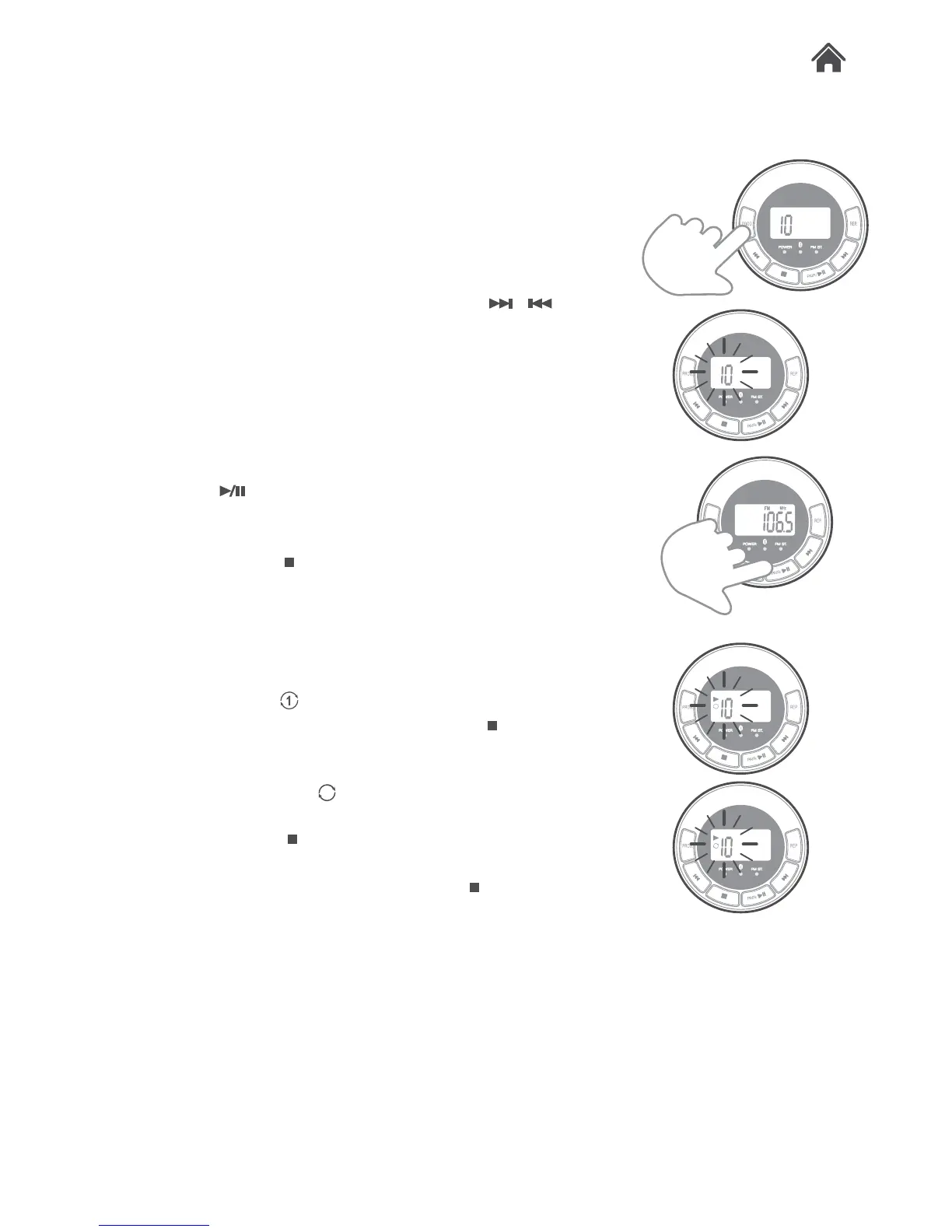
2. Press the PROG. button (P) once. The program sequence
“00” flashes on the LCD display.
3. Select the first track to be programmed using
/ (U,
O) buttons.
4. Press the PROG. button (P) again to store and advance to
the next programmed track. The program sequence
indication changes to “02” momentarily waiting for your next
input.
5. Repeat the steps above to program more tracks. A
maximum of 20 tracks can be programmed.
6. Press the
button (B) to begin the programmed playback
in the preferred order. The PROG indicator appears in the
top left of the LCD display.
7. You can press the
button (F) twice to terminate the
programmed playback or switch to a different input mode.
Repeat Single/All Track(S)
1. During playback press the REP. button (V), you will see the
repeat once icon ‘ ’ on the left of the LCD display. This
indicates the current track will repeat until the button (R) is
pressed.
2. During playback press the REP. button (V) twice, you will
see the repeat all icon ‘
& ALL’ on the left of the LCD
display. This indicates that all the tracks of the current disc
will repeat until the button (R) is pressed.
3. To turn off the REPEAT function press the REP. button (V)
until the repeat icons disapear or press the
button (R).
4.4
4.5
PROG
PROG
1
ALL


 To Next Page