Need help?
Do you have a question about the Goodmans GD11FVRSD32 and is the answer not in the manual?
Read safety section on pages 30-31 before use. Appliance is for household use only.
Lists recorder, guides, remote, batteries. Requires aerial and Scart cable for setup.
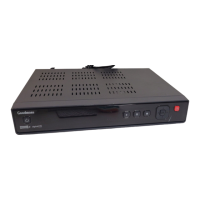
Identifies the front panel controls and rear panel connections for power, aerial, and TV output.
Details the function of each button on the remote control for operating the digital TV recorder.
Instructions for connecting the aerial cable to the RF IN socket and the Scart cable to the TV.
Instructions for inserting batteries into the remote and plugging in the recorder to power it on.
Guides user through the first-time installation process, including TV screen type selection.
Covers daily functions like using standby, choosing programmes, changing channels, and adjusting volume.
Explains how to view programme information, change audio channels, and use subtitles.
Details on pausing live TV, fast forwarding/rewinding, and accessing digital text services.
Guide to accessing the main menu, retune, system information, and swapping channels.
Explains how to navigate the Electronic Programme Guide (EPG) and set programme reminders.
Instructions for setting programme recordings and handling recording conflicts.
Details on hiding channels, understanding channel list icons, and managing them.
Instructions for locking channels with a PIN, deleting unwanted channels, and reordering the channel list.
How to preview, rename, and watch recorded programmes from the library.
Instructions for deleting, locking recordings, viewing HDD status, and capturing screen images.
Covers changing aspect ratio, video output, and on-screen display themes.
Instructions for setting parental PIN, factory reset, and preferred language settings.
Details on recommendation settings, lip-sync adjustment, HDD space display, and formatting.
Step-by-step guide on how to retune the digital TV recorder to find new or moved channels.
Provides details on the recorder's hardware, software, signal status, and helpline number.
Addresses common issues such as power problems, no signal, and picture distortion.
Provides solutions for intermittent picture or sound problems, signal weakness, and aerial issues.
Covers scenarios like no channels found, issues after moving, forgotten PIN, and system behaviour.
Information on changing audio languages and contact details for further assistance.
Lists the recorder's technical specifications and details the 12-month guarantee provisions.
Covers WEEE compliance, general safety, electrical connections, ventilation, and cleaning.
Details on the BS1363/A plug, replacement, and wiring instructions for 2-core and 3-core cables.
Explains how digital switchover affects TV services and when to retune, plus aerial upgrade advice.

 To Next Page

 General