Need help?
Do you have a question about the Goodmans GDB1232DTR and is the answer not in the manual?
Describes safety precautions for using electrical equipment and the digital TV recorder.
Mentions necessary items not included with the product, such as aerials.
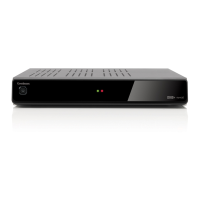
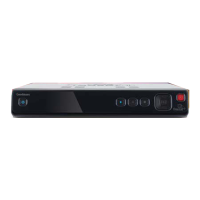
Describes the buttons and indicators on the front of the digital TV recorder.
Details the ports and inputs/outputs located on the rear of the device.
Explains the purpose and operation of each button on the remote control.
Guides the user through the process of connecting the aerial, TV, and power cables.
Details how to insert batteries and use the remote control effectively.
Explains the steps to plug in the device and switch it on for the first time.
Guides the user through the first-time installation process on screen.
Describes the process of turning on the digital TV recorder using the remote.
Explains how to put the digital TV recorder into standby mode when not in use.
Details methods for selecting and switching between TV channels.
Explains how to adjust the audio volume using the remote control.
How to display details about the current and upcoming programmes.
How to select different audio languages available for programmes.
Adjusting display settings like subtitles and screen aspect ratio.
How to pause and resume live broadcasts for convenience.
Accessing digital text services for news, weather, and interactive features.
How to open and navigate the device's main menu system.
Accessing key features like recorded library and channel management.
Accessing device configuration and channel retuning menus.
How to view and select programmes from the electronic programme guide.
How to set reminders for upcoming programmes to avoid missing them.
Instructions on how to record programmes, including series links.
How to manage and resolve conflicts when multiple programmes are scheduled.
How to hide channels so they do not appear in the programme guide.
Explains the icons used in the channel organiser for hidden or locked channels.
How to lock channels to prevent access without a parental PIN.
Instructions for permanently deleting channels or changing their order.
How to view recorded programmes in a preview window.
How to change the names of recorded programmes using the keypad.
Managing recorded content by deleting or locking it with a PIN.
Displaying the status and usage of the Hard Disk Drive (HDD).
Adjusting the screen size format (4:3, 16:9, Auto).
Selecting the video signal type (RGB or CVBS) for Scart output.
Customizing the colours of the On Screen Display (OSD).
Managing parental control by setting or changing the PIN.
Resetting all settings to default and performing a first-time installation.
Selecting the default subtitle or audio language preference.
Enabling or disabling broadcaster recommendations for programmes.
Correcting audio delay by re-synchronizing audio and video.
Managing how HDD space is shown and reformatting the drive.
Searching for new or moved channels after installation or switchover.
Choosing the correct TV region to receive appropriate channels.
Displaying important technical information about the digital TV recorder.
Resolving issues where the recorder won't turn on or display an image.
Fixing problems like squashed or cut-off pictures on the TV.
Diagnosing and resolving issues with intermittent picture or sound.
Resolving problems where no channels are found during scanning.
Steps to take if the parental PIN is forgotten and needs resetting.
Resolving general operational issues or unexpected device behaviour.
How to select different audio tracks or languages for programmes.
Information on websites and helpline numbers for further assistance.
Technical details including model number, dimensions, and weight.
Details the warranty period, conditions, and exclusions for the product.
Information regarding the disposal and recycling of electrical and electronic equipment.
Important safety advice for operating the digital TV recorder safely.
Details regarding the 13 amp plug, fuse rating, and replacement.
Guides for correctly wiring the power supply cable to the plug.
Explains how the UK's digital TV transition affects television services.
Guidance on when and how to re-tune the TV recorder during switchover.

 To Next Page
 General