11
05
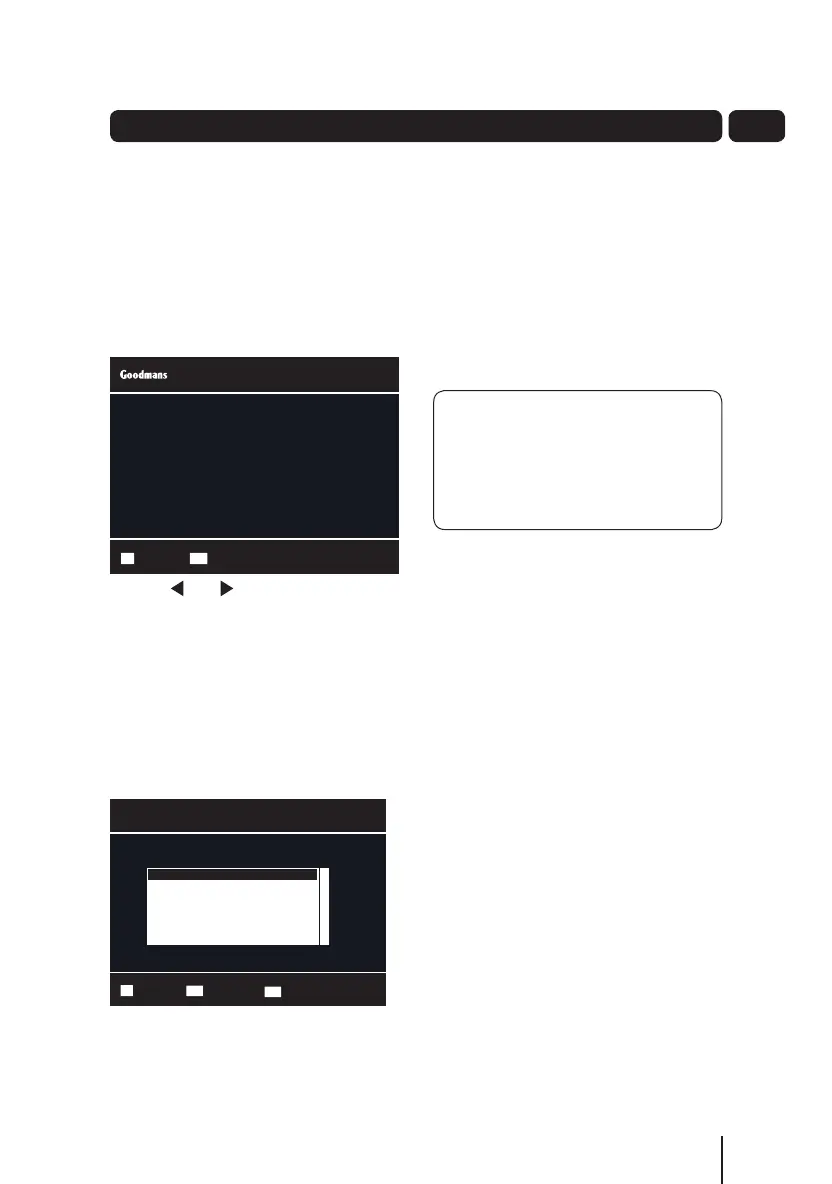
The information screen
Press the INFO button once to display
details of the programme currently
being shown and the next programme.
If you want to see information about the
programme you are watching, you can
press the INFO button twice.
Use the and buttons to view the
current and next programmes.
Audio channel
Sometimes different audio languages
are available with certain programmes
or channels.
Press the AUDIO button to see the
available languages.
Use the p and q buttons to select a
different audio channel.
Press the OK button to confirm the
setting.
Daily use
Select Exit MenuEXIT
Extended EPG Wed 08 Sep 16:52
21:00 - 22:00 New Tricks
1/10 Dead Man Talking: UCOS reinvestigate the death of a
wealthy financier when a psychic tells his daughter to
resolve his unfinished business. [DRAMA] [S] [AD]
Select ConfirmOK
Audio Selection 1/1
Language
ENG Stereo
Audio Type MPEG
Exit MenuEXIT
Subtitles
Press the SUB button to toggle the
subtitles on and off.
DON’T FORGET! Not all
programmes have subtitles. You can
use the information bar to see if the
[S] icon is shown. It’s also shown in
the extended information screen.
Aspect ratio
You can select the aspect ratio or
screen size which best suits your
TV. The options are 4:3 Normal, 16:9
Widescreen or Auto.
Press the WIDE button to toggle
between the available aspect ratios.
Output source
Press the TV/AV button to switch
between TV and the VCR Scart socket
output.
Back button
Press the BACK button to return to the
previous screen or menu.
A5 GDB1232DTR_UserGuide.indd 11 3/25/2011 12:43:01 PM


 To Next Page