22
08
22
09
Recommendation – On occasions
when setting a programme to record,
you may be offered to also record a
recommended programme.
The recommendation signal is sent
by the broadcaster for some types of
programmes.
DON’T FORGET! The default
setting for recommendations is Off.
Lip-Sync – The Lip-sync function is
used to re-synchronise the audio and
video in a programme.
Sometimes if connecting your digital TV
recorder to a surround sound system
you may notice a delay in the audio.
You can use this function to correct the
delay in the audio.
Show HDD Space as – You can
choose how the hard drive space is
shown. The two options are show as
an amount in time or to show as a
percentage.
DON’T FORGET! The default
setting is to show space as time.
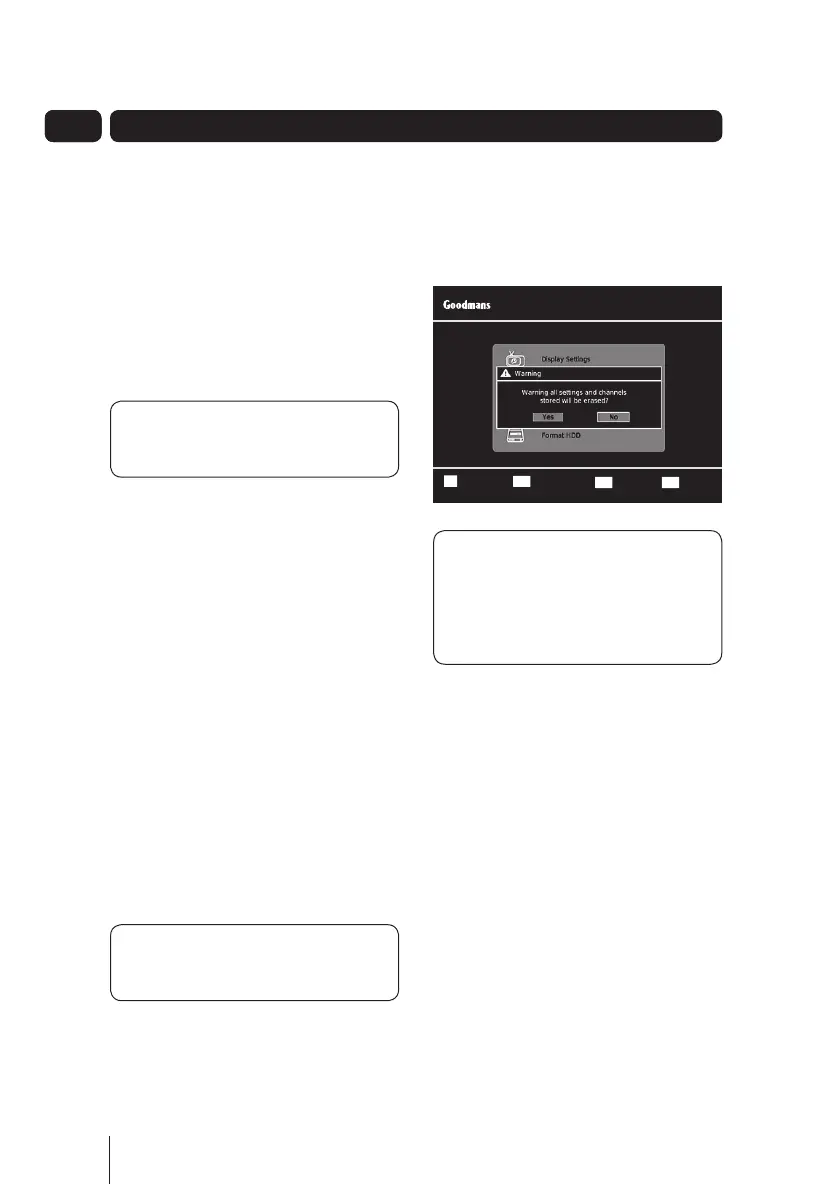
Format HDD
This setting reformats the hard disk
drive.
DON’T FORGET! Reformatting the
HDD will erase all your previously
recorded programmes, including
programmes that have been
locked.
The settings menu
Select ConfirmOK
ReturnB A C K
Wed 08 Sep 16:52
Settings
Exit MenuEXIT
A5 GDB1232DTR_UserGuide.indd 22 3/25/2011 12:43:04 PM


 To Next Page