7
03
Getting connected
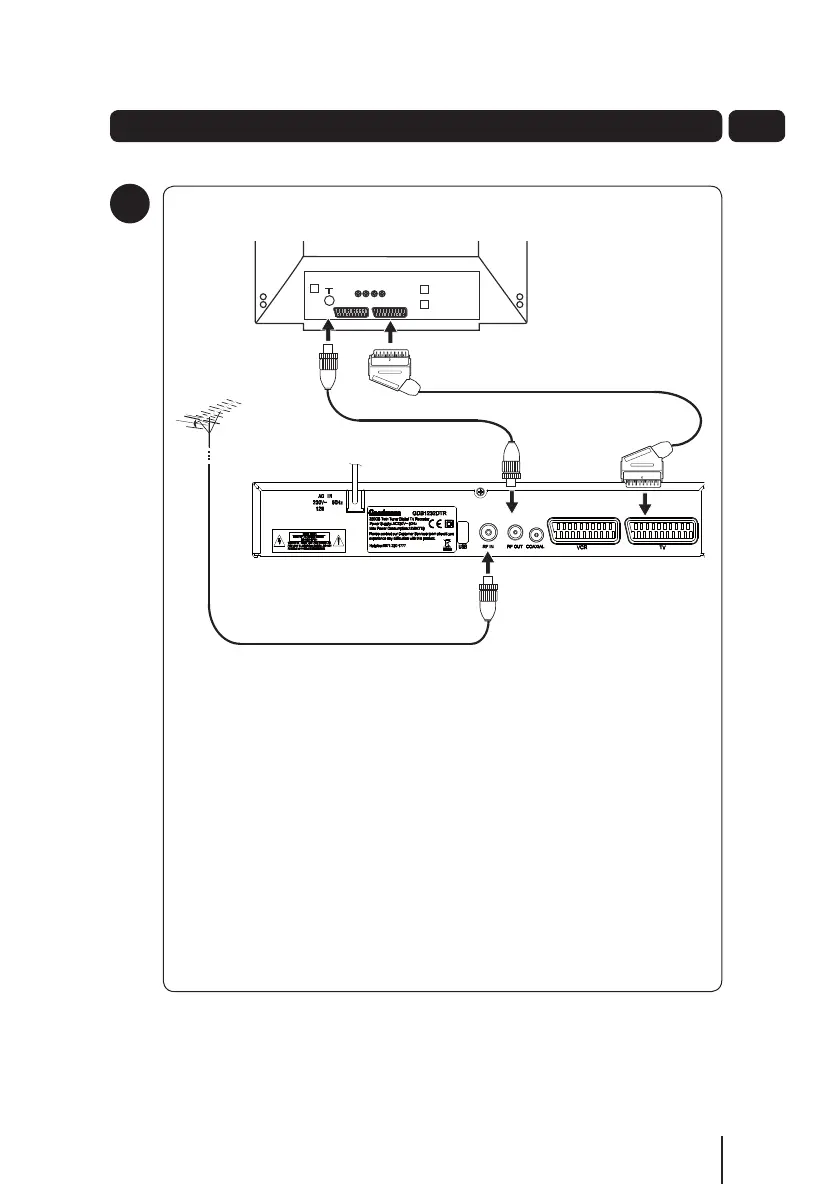
Connect the cable that comes from your aerial to the RF IN socket on the
back of your digital TV recorder.
Connect the RF cable between the RF OUT socket of your digital TV
recorder and the RF IN socket of your TV (see illustration above).
Connect the Scart lead between the TV Scart socket and your TV Scart
socket.
Connecting up
1
A5 GDB1232DTR_UserGuide.indd 7 3/25/2011 12:42:58 PM


 To Next Page