9
04
The first time install screen
The first time install screen will appear on screen.
Follow the instructions on screen to complete the installation.
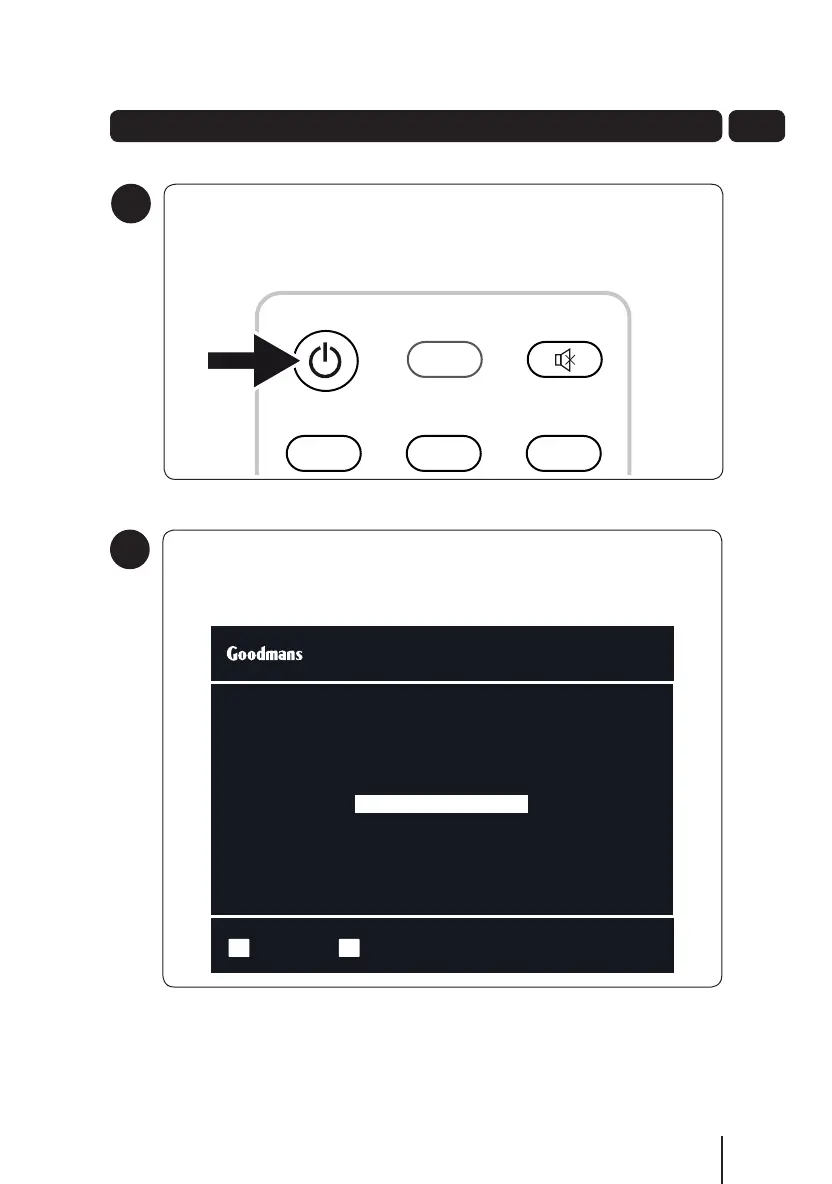
To turn on
To turn on your new digital TV recorder, press the STANDBY button on
the remote control.
5
4
Getting Started
Select Start InstallOK
Select Your TV Screen type using the arrow buttons
Press OK to start the installation
16:9 Widescreen
First Time Installation
SUB SLOW SWAP BACK
CH LIST INFO
21 3
54 6
87 9
0
TV/AV
abc def
ghi jkl mno
pqrs
tuv
wxyz
MENU
GUIDE
VOL
LIB
R
OK
TEXT WIDE AUD EXIT
RED GREEN
YELLOW
BLUE
VOL+
VOL-
CH -
CH +
A5 GDB1232DTR_UserGuide.indd 9 3/25/2011 12:43:00 PM


 To Next Page