EasyManua.ls Logo

Goodmans GFSAT101SD - User Manual

Goodmans GFSAT101SD
2 pages
Print Icon
To Next Page IconTo Next Page
Loading...
GFSAT101SD
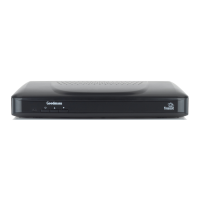
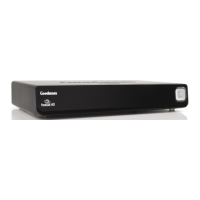
SD digital box
Start here
You may find the information you are
looking for on our website.
www.goodmansdigital.co.uk
or on the freesat website.
www.freesat.co.uk
If you still need help or information
you can phone our call centre on:
0871 230 4695
Calls are charged at 10p per minute when called from a BT land
line. Call charges may vary if using other networks.
Need extra information or help setting up?
Welcome to digital TV
The big switchover
Over the next 4 years, the old analogue TV
signal is gradually being switched off. Soon
you’ll only be able to watch television with a
digital receiver.
www.digitaluk.co.uk also offers information
about when the analogue signal is being
switched off in your area.
Rev2-190609
For a one off payment, you can buy a digital
box, satellie dish and installation giving you
over 140 channels covering the best of TV
and more.
A digital box lets you access digital
channels that are broadcast in the UK. It
uses a digital signal, received through your
satellite dish and lets you watch it through
your existing television.
GFSAT101SD-Rev2-190609.indd 1 19/06/2009 12:14:09

Other manuals for Goodmans GFSAT101SD

Question and Answer IconNeed help?

Do you have a question about the Goodmans GFSAT101SD and is the answer not in the manual?

Summary

The Big Switchover

Getting Extra Help

Online Resources

Find setup and support information on the Goodmans and Freesat websites.

Call Centre Support

Contact the call centre for assistance with setup and further information.

Digital Box Installation Guide

Connecting Cables

Connect satellite dish and SCART cables, then power on the box.

Remote Control Setup

Insert batteries into the remote control for operation.

Signal Strength Check

Verify signal strength and reposition dish if necessary.

Network and Transport ID Search

Wait for the box to find Network and Transport IDs, then press OK.

Postcode Entry

Enter your postcode using the remote control keys.

Screen Size Selection

Adjust TV screen size setting to match your television.

Automatic Tuning

The digital box will automatically tune to channels.

Channel Selection

Use the GUIDE button to browse available channel types.

Overview

This document provides an overview of the Goodmans GFSAT101SD SD digital box, focusing on its function, usage, and initial setup, with information on digital TV services and support resources.

Function Description

The Goodmans GFSAT101SD is an SD (Standard Definition) digital box designed to enable access to digital television channels broadcast in the UK. Its primary function is to receive digital signals via a satellite dish and convert them for viewing on an existing television set. This device is crucial for households transitioning from analogue to digital TV, especially in light of the "big switchover" where analogue TV signals are gradually being phased out. By connecting this digital box, users can continue to watch television with a digital receiver, ensuring uninterrupted access to broadcast content. The system supports Freesat, a free-to-air satellite television service, offering over 140 channels, encompassing a wide range of genres including entertainment, news, sport, movies, lifestyle, music, children's programming, and special interest channels. The digital box acts as an interface between the satellite signal and the television, allowing users to navigate and select channels, and ultimately enjoy a richer viewing experience with more options than traditional analogue broadcasts. It is an "Approved product" with a "digital" certification mark, indicating compliance with relevant standards for digital television reception.

Usage Features

The usage of the Goodmans GFSAT101SD digital box is straightforward, guided by a step-by-step setup process and intuitive controls.

Initial Setup:

  1. Satellite Dish Connection: The first step involves connecting an RG6 co-axial cable with an 'F' type connector from the satellite dish to the 'LNB IN' socket on the back panel of the digital box. This ensures the device receives the satellite signal.
  2. TV Connection: A SCART cable, supplied with the digital box, is used to connect the 'TV' socket on the back panel of the digital box to the SCART socket on the television. This establishes the video and audio link to display the digital channels.
  3. Power Connection: The mains plug is connected, and the power socket is turned on, supplying electricity to the digital box.
  4. Remote Control Setup: The remote control requires 2 x AAA batteries, which are inserted after opening the battery compartment. This enables wireless control of the digital box.

On-Screen Configuration:

Once powered on, the digital box guides the user through an on-screen configuration process:

  1. Signal Strength Check: The system displays the signal strength, Network ID, and Transport ID. A signal strength above 50% is recommended for optimal performance. If the signal is below this threshold, users may need to adjust their satellite dish position or check cable connections.
  2. Postcode Entry: Users are prompted to enter their postcode using the number keys on the remote control. The digital box automatically formats the postcode, eliminating the need for spaces. This step is crucial for regional channel allocation.
  3. TV Screen Size Selection: The user selects the TV screen size (e.g., Widescreen 16:9) that matches their television using the remote control's arrow keys. This ensures correct aspect ratio display.
  4. Autotune: After these initial settings, the digital box performs an autotune, scanning for and replacing existing services. This process may take a few minutes as it identifies and stores all available digital channels.

Daily Operation:

Once setup is complete, the digital box is ready for daily use. Users can navigate channels and access features using the remote control. The "GUIDE" button on the remote control allows users to view available channel types, making it easy to browse content by genre. The main instruction manual provides further details on advanced features and daily operation.

Support and Information:

The manual emphasizes the availability of support resources:

  • Websites: Users can find additional information and help on the Goodmans digital website (www.goodmansdigital.co.uk) and the Freesat website (www.freesat.co.uk).
  • Call Centre: For direct assistance, a call centre is available at 0871 230 4695. Call charges apply and may vary depending on the network used.
  • Digital Switchover Information: Information regarding the analogue to digital TV switchover, including timelines for specific areas, is available on www.digitaluk.co.uk.

The digital box is designed for ease of use, from initial installation to daily channel browsing, making digital TV accessible to a broad audience.

Maintenance Features

The Goodmans GFSAT101SD digital box, like most electronic devices, requires minimal but consistent maintenance to ensure optimal performance and longevity. While the manual does not detail extensive maintenance procedures, it implicitly suggests several key areas based on the setup and troubleshooting information provided.

Cable Connections:

  • Regular Inspection: It is advisable to periodically check the RG6 co-axial cable connection from the satellite dish to the 'LNB IN' socket and the SCART cable connection between the digital box and the TV. Loose or damaged connections can lead to signal degradation or complete loss of picture/sound.
  • Secure Connections: Ensuring all 'F' type connectors and SCART plugs are securely seated is crucial. Over time, vibrations or accidental nudges can loosen these connections.
  • Cable Condition: Inspect cables for any signs of wear, fraying, or kinking, especially if they are exposed to foot traffic or sharp edges. Damaged cables should be replaced to maintain signal integrity.

Signal Strength Monitoring:

  • Troubleshooting: The setup process highlights the importance of signal strength. If the signal strength drops below 50% after initial setup, it's an indicator that maintenance might be needed.
  • Satellite Dish Alignment: A common reason for poor signal strength is a misaligned satellite dish. While the manual doesn't provide instructions for dish alignment, it suggests checking the dish position. This typically requires professional assistance or careful adjustment by someone familiar with satellite dish installation.
  • Environmental Factors: Heavy rain, snow, or obstructions (like new tree growth) can temporarily or permanently affect signal reception. Users should be aware of these external factors.

Power Supply:

  • Stable Power: Ensure the digital box is connected to a stable power source. Fluctuations or interruptions in power can potentially affect the device's internal components.
  • Unplugging During Storms: During electrical storms, it is generally recommended to unplug electronic devices, including the digital box, to protect them from power surges.

Remote Control:

  • Battery Replacement: The remote control requires 2 x AAA batteries. When the remote control becomes unresponsive or intermittent, replacing the batteries is the first troubleshooting step.
  • Cleanliness: Keep the remote control clean and free from dust or spills to ensure button functionality.

General Cleaning:

  • Dust Removal: The digital box itself should be kept clean and free of dust. Dust accumulation can impede ventilation and lead to overheating, potentially shortening the device's lifespan. A soft, dry cloth can be used to gently wipe down the exterior.
  • Ventilation: Ensure the digital box is placed in a location with adequate ventilation, away from direct sunlight or heat sources, and not covered by other objects. This prevents overheating and ensures proper operation.

Software Updates (Implicit):

While not explicitly mentioned as a user-maintenance task, digital boxes often receive software updates over the air to improve performance, add features, or fix bugs. Users should ensure their box is connected and powered on periodically to allow for such updates, which contribute to the device's ongoing functionality.

By following these general maintenance practices, users can help ensure their Goodmans GFSAT101SD digital box continues to provide reliable access to digital television channels for an extended period. The emphasis on checking connections and monitoring signal strength during setup serves as a foundational guide for ongoing care.

Goodmans GFSAT101SD Specifications

General IconGeneral
TypeSatellite Receiver
Free To AirYes
HD CapableNo
Standard DefinitionYes
Resolution576i
HDMI OutputNo
Scart Output1
USB PortNo
EPGYes
RecordingNo
Smart Card ReaderNo
InputSatellite
OutputScart
FeaturesParental Control

Related product manuals