Need help?
Do you have a question about the Goodmans GFSAT200HD/A and is the answer not in the manual?
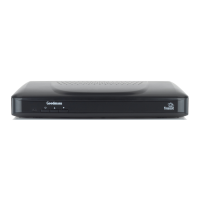
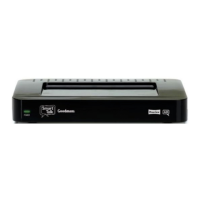
Details the front panel components and controls of the digital box.
Details the rear panel connectivity ports and their functions.
Guides on connecting the digital box to a HD Ready TV via HDMI.
Details other available connections like USB, SPDIF, Ethernet, and SCART.
Instructions for inserting AAA batteries into the remote control.
Steps to connect the power adapter and turn on the digital box.
Explains the initial setup screen and signal strength check.
How to use the programme guide to select a TV programme.
Methods for changing channels using buttons or direct number entry.
How to display and access programme information.
Adjusting audio volume using remote control buttons.
Toggling subtitles on and off for programmes.
Explains how to navigate the programme guide using remote buttons.
Explains common icons used in the programme guide.
How to set reminders for programmes using the guide.
Handling conflicts when setting multiple programme reminders.
Explains the meaning of icons displayed in the channel list.
Instructions for hiding channels from the guide and programme list.
How to add channels to a personal favourites list.
How to change the region for regional channels.
Information about managing non-freesat channels manually.
Settings for screen resolution, HDMI audio, and menu transparency.
Configuration options for network connectivity and iPlayer.
Settings for preferred audio and subtitle languages.
Settings for parental controls, PIN, and hiding adult channels.
Settings for non-freesat channels, auto standby, and software upgrades.
Steps to manually tune and add free-to-air channels.
Answers to common user queries about the digital box.
Important safety precautions for using the equipment.
 General
| Video Output | HDMI, SCART |
|---|---|
| Tuner | DVB-S2 |
| Audio Output | Digital Coaxial |
| Recording Capability | Via USB (External HDD/Flash Drive) |
| Dimensions | 40mm |
| Connectivity | Ethernet |
| Features | Electronic Program Guide (EPG) |

 To Next Page