Need help?
Do you have a question about the Goodmans gtv14t4dvd and is the answer not in the manual?
Highlights the importance of safety instructions for product usage.
Covers safety considerations, cleaning, ventilation, and battery disposal.
Details servicing information and mains plug electrical safety.
Lists included items, aerial connection, and remote control setup.
Covers using the remote control, switching on, standby, and switching off.
Explanation of the screen saver function for DVD mode.
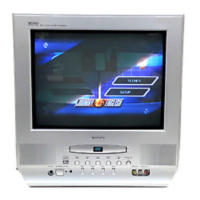
Identifies key buttons and ports on the unit.
Identifies various input and output ports on the rear of the unit.
Details remote control functions for TV, Teletext, and DVD modes.
Lists the types of discs the unit can play.
How to connect external sources using AV inputs and SCART sockets.
Guide for connecting the unit to an external audio system.
How to connect the unit to a digital set-top box via SCART.
Options for connecting to video recorders/players using SCART or RCA.
How to connect the unit to a second television via SCART.
Options for connecting to a Dolby Digital amplifier via digital outputs.
Explains automatic (Autosearch) and manual tuning methods.
Re-ordering channels and skipping unwanted ones.
Operating program selection, volume, mute, display, and effects.
How to lock channels with a password.
General settings for the TV mode.
Adjusting picture patterns and detailed picture menu options.
Adjusting sound parameters such as volume, bass, treble, balance, surround.
Setting the clock and timer functions.
Configuring on/off timers and sleep timer settings.
General setup options like language, blue/black screen, AVL.
Entering, exiting, selecting pages, MIX mode, page hold, and features.
Adjusting text size, display languages, and subtitle access.
Instructions on how to play the integrated game.
Inserting discs, basic playback control, and stopping.
Fast/slow search, skipping tracks, and display information.
Repeat, zoom, angle, PBC, subtitle, audio, GOTO, and program functions.
Steps for playing Audio CDs and selecting audio modes.
Viewing photo CDs and JPEG files, managing slideshows.
TV display modes, angle mark, OSD language, digital output, screen saver.
Analog audio, Dolby digital, and video settings like sharpness and contrast.
Selecting TV standards and preferred languages for audio/subtitles.
Setting rating levels, managing password, and default settings.
Solutions for picture/sound, disc playback, and remote control problems.
Proper methods for handling and cleaning discs.
Information on the product's 12-month guarantee and its terms.
Details on power, screen size, and dimensions.
Information on audio output types and connection terminals.

 To Next Page
 General