Need help?
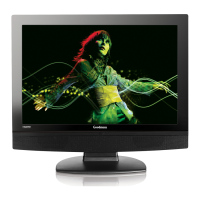
Do you have a question about the Goodmans GTVL19W17HDF and is the answer not in the manual?
Covers risks of electric shock, fire, moisture, and improper use of controls.
Explains symbols indicating electric shock risk and presence of important operating/maintenance instructions.
Details the appliance's 13 amp plug and fuse replacement guidelines.
Provides wiring instructions for 2-core cables, emphasizing correct terminal connections.
Provides wiring instructions for 3-core cables, emphasizing correct terminal connections and earthing.
Advises against self-servicing, dropping objects, and inserting foreign items into the unit.
Stresses ensuring proper ventilation and safe cleaning methods using a soft, dry cloth.
Lists warnings against unqualified repairs, disassembly, improper storage, and environmental exposure.
Provides immediate actions for unusual unit behavior and reiterates calling the dealer for repairs.
Details the TV's display characteristics, input/output ports, and advanced functions like WSS and Teletext.
Lists all items included in the package for setting up and operating the LCD TV.
Identifies and explains the functions of the buttons located on the front panel of the LCD TV.
Details all the input and output sockets available on the rear of the LCD TV for external connections.
Explains the function of each primary button on the remote control for operating the LCD TV.
Details advanced functions accessible via the remote, including menu navigation and Teletext features.
Provides step-by-step instructions for installing batteries into the remote control.
Specifies the effective operating distance and angle for the remote control.
Step-by-step instructions for securely attaching the TV stand to the LCD TV unit.
Explains how to power the TV on/off and the procedure for completely disconnecting it from the mains supply.
Guides on connecting a TV aerial, powering on, and performing the initial channel scan (APS).
Details various methods for connecting a DVD player to the LCD TV using different cable types.
Provides instructions for connecting VCRs and video cameras using audio, S-video, AV, and SCART cables.
Explains how to connect TV boxes and satellite receivers using SCART, HDMI, and other input methods.
Guides on connecting the TV audio output to a Dolby digital surround system for enhanced sound.
Details HDMI and DVI connectivity, including HDCP support and compatible resolution specifications.
Covers basic operations like tuning channels, selecting input sources, and adjusting volume and sound.
Explains how to access and navigate the main On-Screen Display (OSD) menus for various settings.
Details options within the Video menu for adjusting picture quality, including Picture Mode, Contrast, and Brightness.
Details advanced video settings like Display Mode, DCE, Blue/Green Stretch, and Color Temperature.
Explains audio settings for adjusting volume and speaker balance.
Details setup options for analogue TV, including colour/sound standards, auto/manual tuning, and channel management.
Allows selection of OSD language, Blue Screen, Childlock, Sleep Timer, and menu reset.
Details screen settings specific to VGA input, including size, position, phase, and auto sync.
Introduces DTV features and its OSD menu options, including channel management and parental controls.
Guides on how to lock, skip, or add channels within the DTV channel list.
Details parental control features like receiver lock, configuration access, channel lock, and maturity level settings.
Explains the DTV configuration menu, including auto and manual channel installation processes.
Provides instructions for manual channel installation, focusing on signal level and quality assessment.
Displays a list of recently added channels, indicating their type.
Allows selection of audio and subtitle languages for broadcast programs.
Covers system parameters for software upgrades and viewing system information.
Provides details about the TV's hardware and software versions.
Shows signal level and quality for channels, indicating the likelihood of finding digital channels.
Details parental control options like receiver lock, configuration access, channel lock, and maturity level settings.
Explains how to change the PIN code for parental control features.
Guides on accessing and navigating the Electronic Programme Guide (EPG) for TV schedules.
Provides solutions for common problems such as TV not turning on, no picture/sound, or poor picture/sound quality.
Lists detailed technical specifications of the LCD TV, including resolution, inputs, and physical dimensions.
Details optimized display modes and VGA timing specifications for various resolutions.

 To Next Page
 General