Need help?
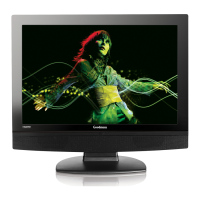
Do you have a question about the Goodmans GVLCDHD32 and is the answer not in the manual?
General warnings about product usage and exposure to elements.
Guidelines for safe electrical connection and operation of the appliance.
Guide to switching between various input sources like HDMI, AV, etc.
Steps for connecting HD devices using HDMI or Component cables.
Details on adjusting Picture Mode, Contrast, Brightness, Colour, Tint, Sharpness, Colour Temperature, and Noise Reduction.
Guide to adjusting Sound Mode, Treble, Bass, Balance, Auto Volume, Digital Output, and AD Volume.
Guide to setting up the TV for use with a PC or laptop via VGA.
 General
| Resolution | 1366 x 768 |
|---|---|
| Display Type | LCD |
| HD Ready | Yes |
| USB Ports | 1 |
| Aspect Ratio | 16:9 |
| VGA Port | Yes |
| Scart Socket | 1 |
| Headphone Jack | Yes |
| Screen Size | 32 inches |

 To Next Page