GoodMeasure Integrator Installation Guide v3.1 www.goodmeasure.net Page 6
Step 8: Device setup
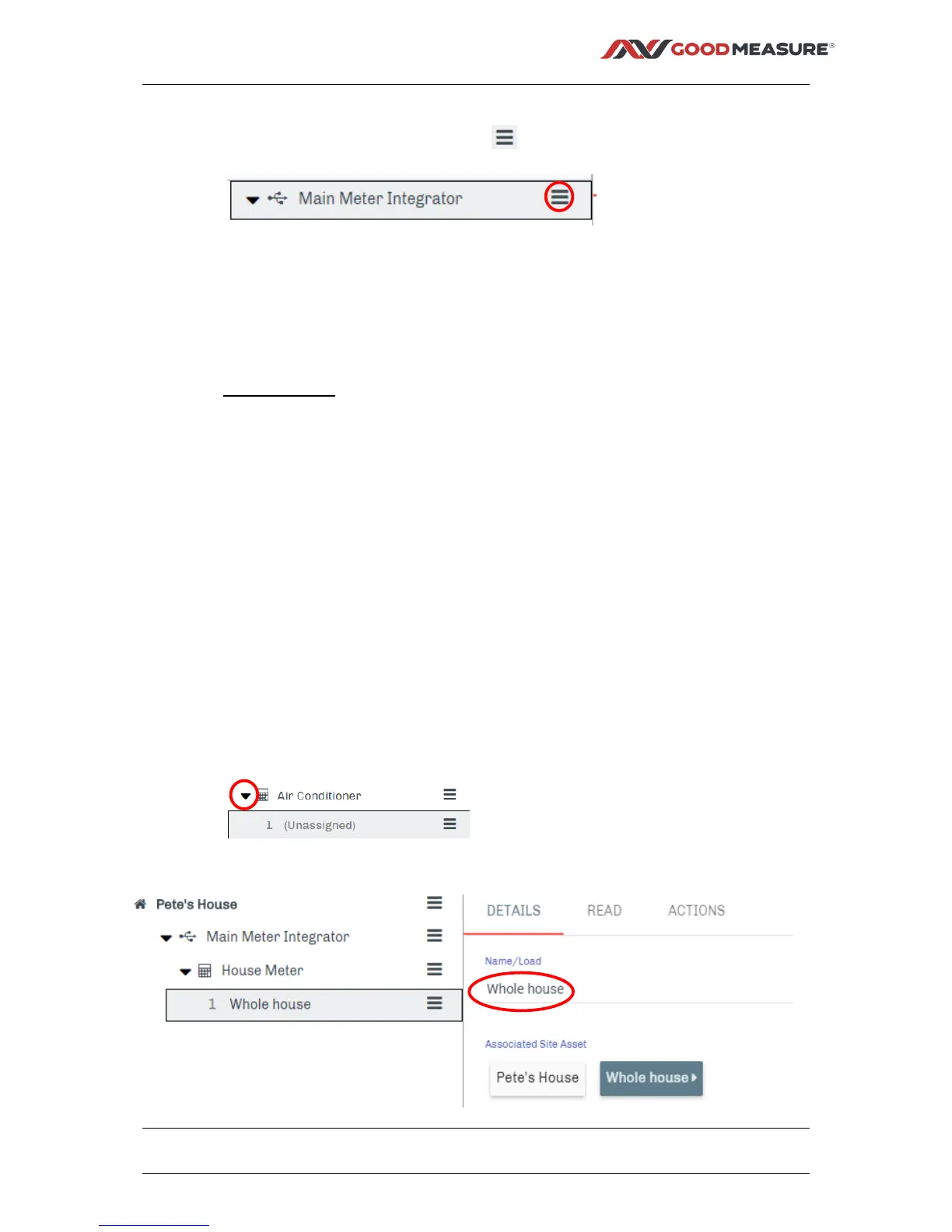
1. With the Install tab selected, click the menu button next to the desired
Integrator
2. Select +Add New Device
3. Select the required device type from the drop down list e.g.
EDMI Atlas Series Mk7 (Off Network), then click Next>> at the upper right.
4. Fill in the following device fields and click Save.
Required fields:
a. Location/Name – This is a user defined label. It is recommended that this
name includes a reference to the device itself e.g. “Main meter”
b. User ID – Supplied by FCL Metering
c. Password – Supplied by FCL Metering
d. Serial – The serial number of the meter as supplied by FCL
Prefilled fields – only change as necessary
e. Port – This is the Port on the GoodMeasure Integrator that the device is
physically connected to.
i. If the EDMI meter is wired to the Integrator using a GoodMeasure
supplied cable, it is Port 2.
f. Baud Rate – This must match the device settings and is prefilled for
convenience
g. Framing – This must match the device settings and is prefilled for
convenience
5. Click on the down arrow for the device type
6. Click Channel under the device and Name the channel (e.g. Whole house).



 To Next Page
 Loading...