GoodMeasure Integrator Installation Guide v3.1 www.goodmeasure.net Page 7
Step 9: Confirm that it works
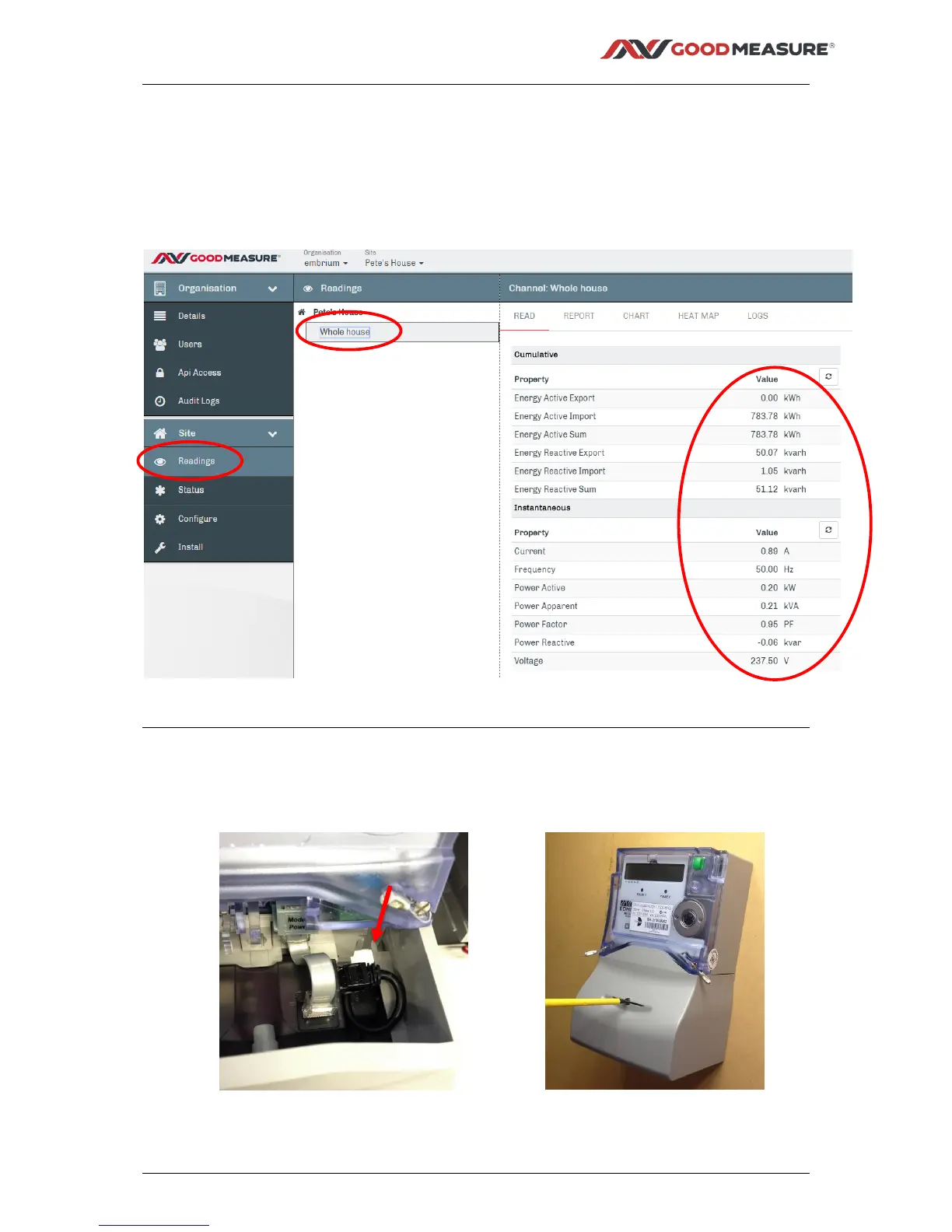
1. Select “Readings” from the main menu
2. Select the Channel name from the middle menu e.g. “Whole house” from Step 8.6
3. Check that all of the properties appear as you would expect
4. Check that they all make sense
5. If the reading doesn’t work, try Step 11 Troubleshooting or contact your administrator
Step 10: Fit and seal the meter terminal cover
1. Ensure all cables are secure and tucked in as far as possible.
2. When re-fitting the terminal cover, it may be necessary to trim the internal plastic rib to prevent
snagging.



 To Next Page