3
Quick Installation Guide V1.1-2022-02-21
Step 1 Power on the inverter.
Step 2 Power on the router.
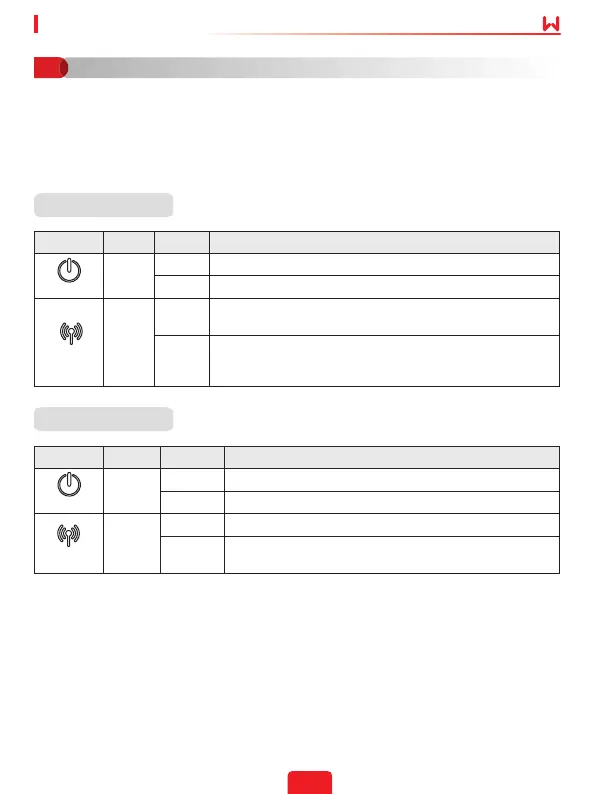
Step 3 Check communication status of the Kit through indicators.
Indicator Color Status Description
Green
ON The Wi-Fi/LAN Kit is powered on.
OFF The Wi-Fi/LAN Kit is restarting or not powered on.
Blue
ON
Proper communication on WiFi mode or the WiFi AP hotspot
is connected.
OFF
• Improper communication on WiFi mode.
• Proper communication on LAN mode.
• The kit is restarting.
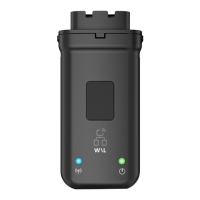
Wi-Fi/LAN Kit
Power
COM
Note: Check the indicators on the Wi-Fi/LAN Kit and the inverter to conrm the
communication status of the kit.
Indicator Color Status Description
Green
ON The WiFi Kit is powered on.
OFF The WiFi Kit is restarting or not powered on.
Blue
ON The WiFi AP hotspot is connected.
OFF
• Improper communication on WiFi Kit.
• The kit is restarting.
Power
COM
WiFi Kit
Power On
03


 To Next Page