EasyManua.ls Logo

GoPlus SP35347 - Step 5: Attach Computer & Handlebar; Step 6: Fix Pedals; Step 7: Adjust Tension Knob

Default Icon
11 pages
Print Icon
To Next Page IconTo Next Page
To Previous Page IconTo Previous Page
Loading...
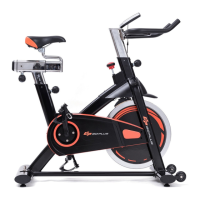
6.Fix the pedal(L)(
pt.7)
on the main
frame by crunch(13-15 ) in
counterclockwiseFix the pedal(R)
(
pt.13)
on the main frame by crunch
in clockwise.
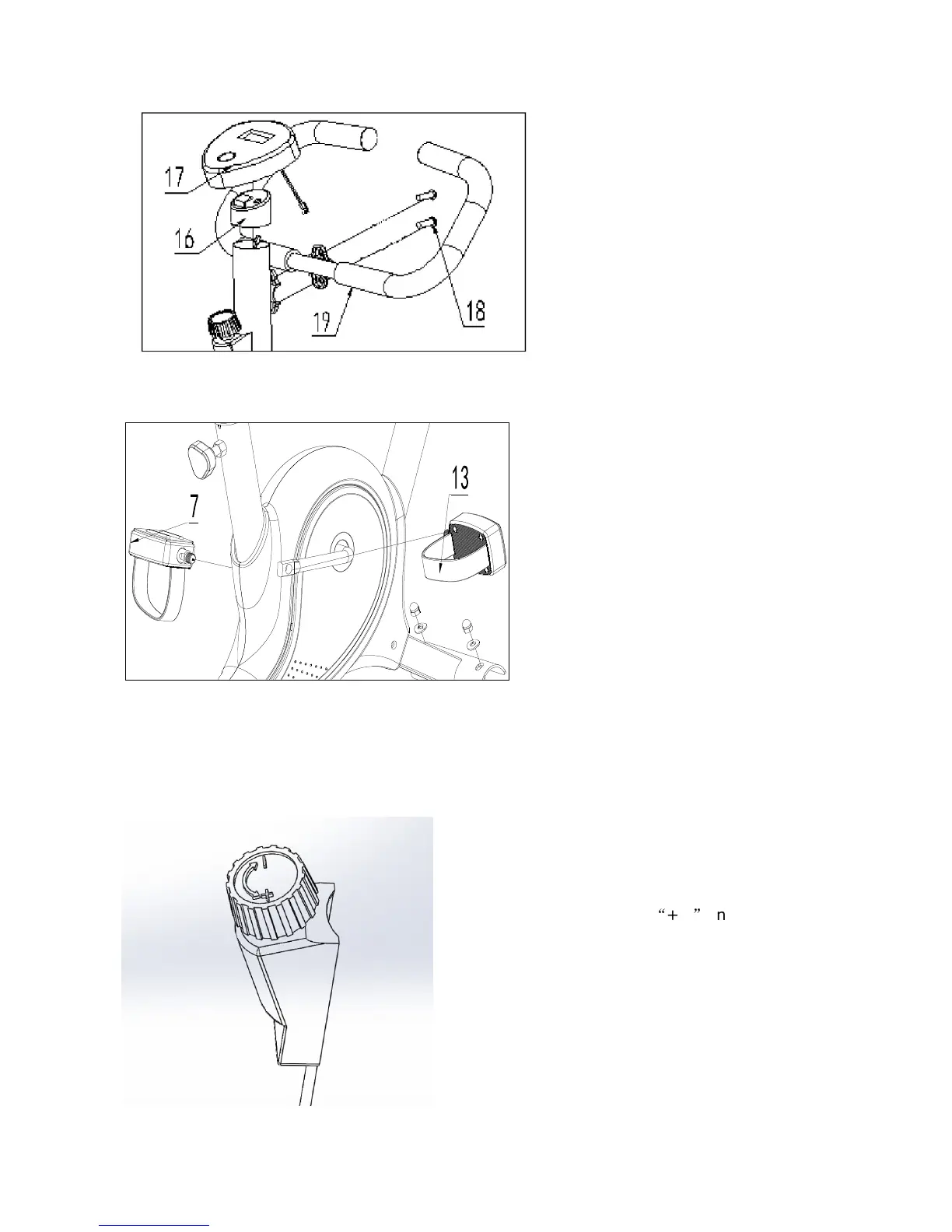
5.
Plug the upper computer Sensor
Wire to the back of Computer (pt. 17),
and then slide the Computer (pt. 15) onto

the Computer Holder (pt.16).
Fix Handlebar (
pt.
19) on the Front
by fixing Bolt
pt.
18
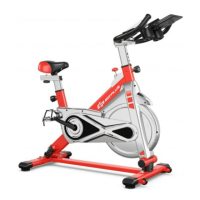
7. The tension can be adjust by
turn knob,
it have
+,-
on it.

Related product manuals