4
Assembly Instructions
STEP 1:
STEP 2:
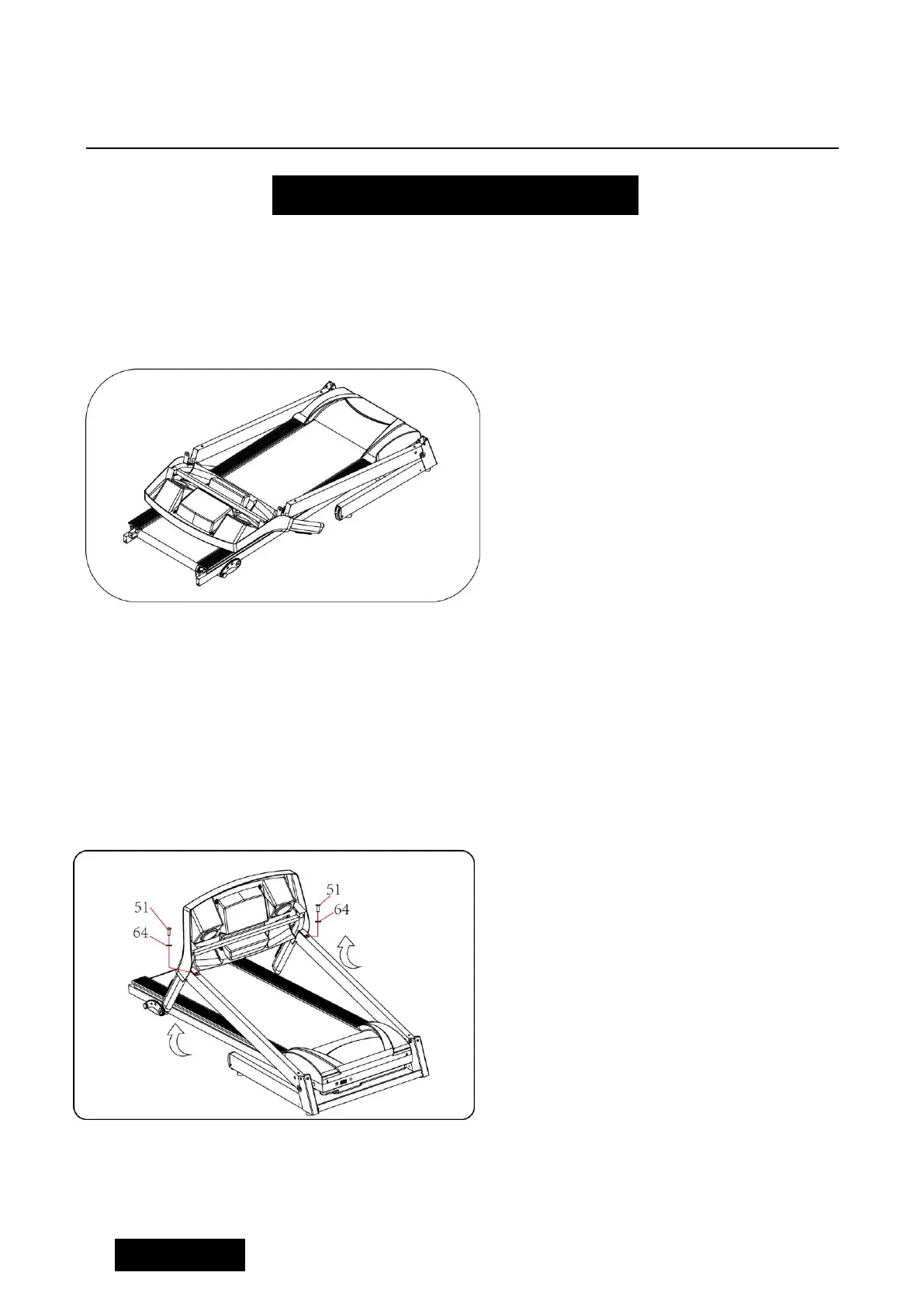
Open the carton, get out the above
spare parts, and put the Main Frame
onto the level ground.
1 、 Holding the computer frame and
uprights, unscrew bolt M8*16(51) and
lock washer(64)off right uprights, use
the 5# Allen wrench to lock the
computer and upright tube tight by
screw M8*16(51) and lock washer(64)
See as left picture.
Notice: do not press wires inside the
tube and check if wires are connected
well. Support the upright with hand to
avoid computer & upright falling down.



 To Next Page