9
Operation Guide
OVERVIEW
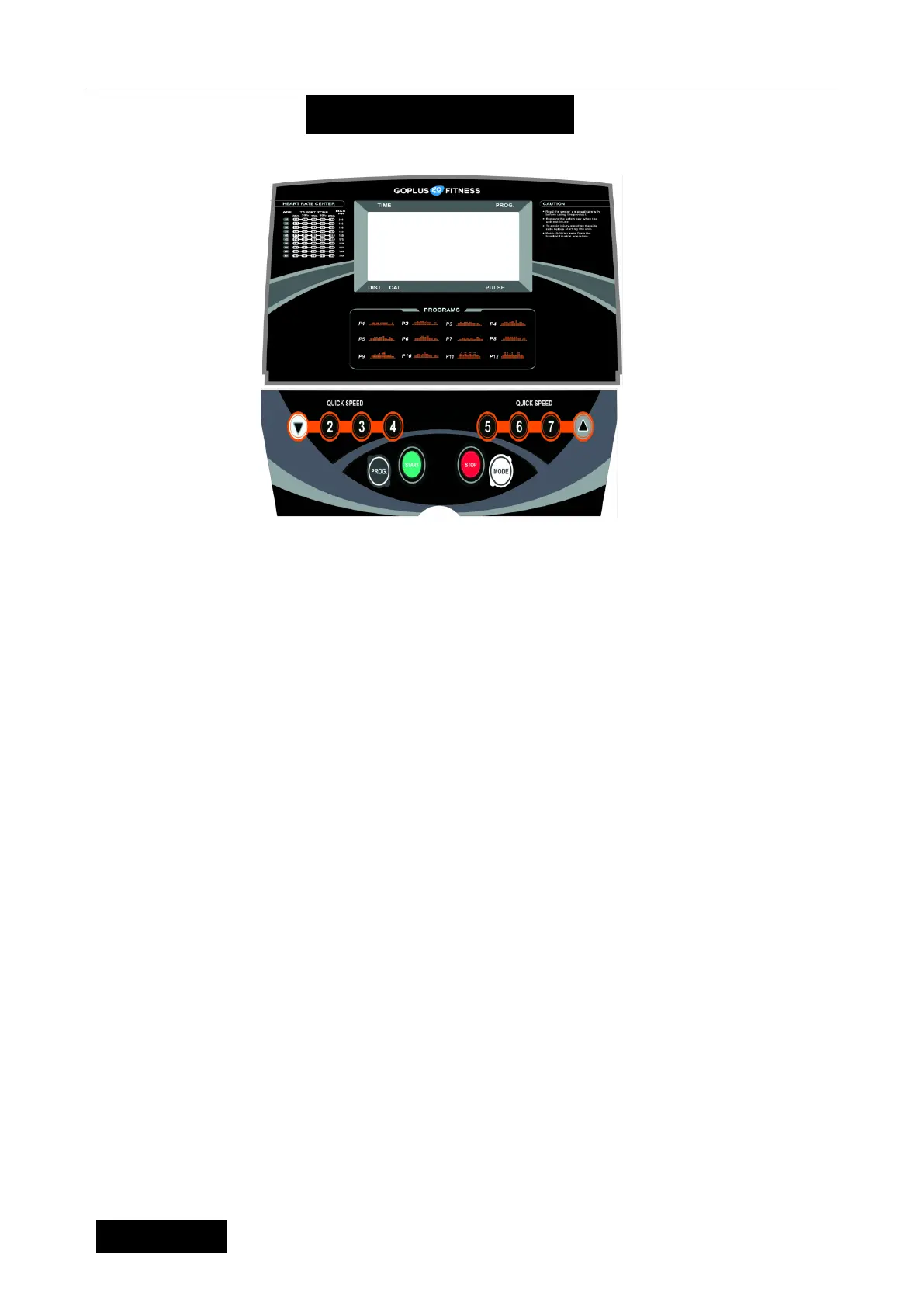
2. SHOWING
SPEED:Display the speed,
TIME:Display the time
DIST. Display the distance
CAL. Display the calories
PULSE:Display the heart rate
3 BUTTON FUNCTION
“PROGRAM” button: Press this button to choose program from manual mode—P1----P12---FAT;
“MODE” button: When machine in ready state, press this button to choose the mode: mode-time
count down, mode-distance count down, mode-calories count down; When FAT
state, press this button to choose: “SEX”, “AGE”, “HEIGHT”, “WEIGHT”.
“START” button: Press this button to start the machine, the machine will run at the lowest speed or at
the speed of default program after 3 seconds time count down;
“STOP” button: Press this button to stop the machine, the machine will stop smoothly;
SPEED▲、▼: Adjust the speed. Press the button to adjust the speed when running, and adjust the
data when stop;
SPEED(2, 3
, 4, 5, 6, 7): Adjust the speed quickly
4. MAIN FUNCTION:
Turn on the power, all the windows lit 2 seconds, and then enter the manual mode.
4. 1. Start-up quickly (Manual):
Get through power attach the safety lock. After 3 seconds countdown, the treadmill starting and
running from the lowest speed, add and subtract by SPEED button to adjust the speed. Please press
the stop button or off the safety lock directly to stop.


 To Next Page