Safety Information
WATER RESISTANCE
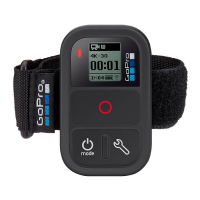
Do not submerge the Wi-Fi Remote in more than 10 / 3m of water. Do
not attempt to dry the Wi-Fi Remote with an external heat source, such
as a microwave oven or hair dryer. Damage to the Wi-Fi Remote caused
by excessive water pressure is not covered under warranty.
USING CONNECTORS AND PORTS
Never force a connector into a port. Check for obstructions on the port.
If the connector and port don’t join with reasonable ease, they probably
don’t match. Make sure that the connector matches the port and that you
have positioned the connector correctly in relation to the port.
KEEPING THE WIFI BACPAC AND WIFI REMOTE WITHIN
ACCEPTABLE TEMPERATURES
The Wi-Fi BacPac and Wi-Fi Remote are designed to be operated in
temperatures between 0° C and 40° C and stored in temperatures
between 0° C and 70° C. Extreme temperatures may temporarily affect
battery life, or affect the functionality of the Wi-Fi BacPac and Wi-Fi
Remote. Avoid dramatic changes in temperature or humidity when using
the Wi-Fi BacPac and/or Wi-Fi Remote as condensation may form on or
within the products. When you’re using the Wi-Fi BacPac, Wi-Fi Remote
or charging the battery, it is normal for the product to get warm. The
exterior of the products functions as a cooling surface that transfers heat
from inside the unit to the cooler air outside.
31


 To Next Page