6 7
CHARGING THE BATTERY
The integrated battery comes partially charged. No damage occurs
to the camera or battery if used before being fully charged.
To Charge the Battery:
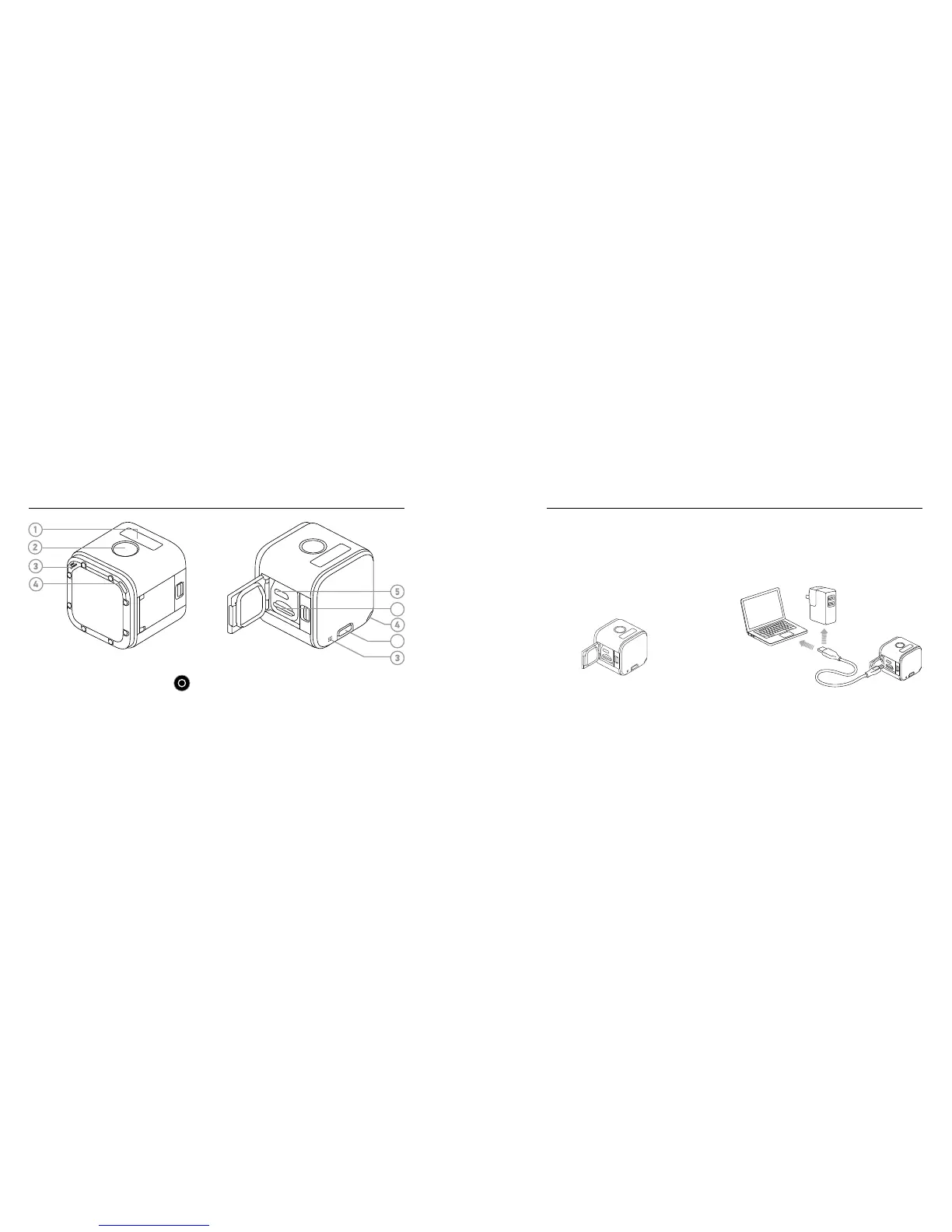
1. Open the side door. 2. Charge the battery using the
included USB cable.
Note: The battery cannot be removed from the camera.
/ The Basics
1. Camera Status Screen
2. Shutter/Select Button [ ]
3. Microphone
4. Camera Status Light (red) /
Wireless Status Light (blue)
5. Micro-USB Port
6. microSD Card Slot
7. Info/Wireless Button
/ Getting Started
6
7


 To Next Page