EasyManua.ls Logo

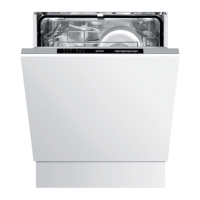
Gorenje GV642D61 - User Manual

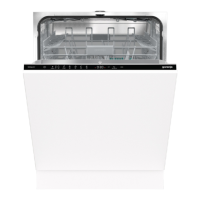
Gorenje GV642D61
34 pages
Print Icon
To Next Page IconTo Next Page
Loading...
User manual
Dishwasher
GV642D61

Questions and Answers

  • R
    Robert FieldsSep 9, 2025
    What does error code F10 mean on Gorenje Dishwasher?
    • M
      Michelle SmithSep 9, 2025
      If your Gorenje Dishwasher displays error code F10, it indicates overfilling of water. Clear the drainage pump. If the problem persists, contact your nearest service centre.
  • R
    Roger AndersonAug 23, 2025
    How to fix dishes not being clean in my Gorenje GV642D61?
    • S
      Steven WilliamsAug 23, 2025
      If your dishes are not clean after a wash in your Gorenje Dishwasher, it could be due to several reasons. Check that the dishes are not blocking the spray arms, preventing them from rotating. Also, inspect the spray arm holes and bearings for blockages and clean them if necessary. Ensure you're using a suitable dishwashing program, selecting a high-temperature program like Intensive 70° for greasy dishes. Verify that you are using the correct detergent dosage based on your water hardness, and avoid using old detergent.
  • K
    Kyle SmithAug 25, 2025
    How to improve drying in my Gorenje Dishwasher?
    • M
      Mark BergerAug 26, 2025
      If your dishes are not dry enough after a cycle in your Gorenje Dishwasher, ensure that the TotalDry setting is activated. Also, fully load the dishwasher, as a full load optimizes drying. Check the rinse aid level and dosage; top up if necessary or increase the dosage setting. If you are using all-in-one detergents and the TAB setting is activated, consider switching detergents or deactivating the TAB setting and using separate rinse aid and salt.
  • M
    Mary FisherAug 27, 2025
    Why does water remain in my Gorenje GV642D61 Dishwasher after the cycle?
    • J
      Jenny SmithAug 27, 2025
      If water remains in your Gorenje Dishwasher after a cycle, start by cleaning the filter, ensuring it is correctly fitted. Also, check for debris in the drainage pump and ensure the yellow drainage pump stop is in place. Inspect the drainage hose for kinks or blockages, ensuring it's properly connected to the sink unit's water trap with an inner diameter of at least 14 mm.
  • M
    Mark MccannAug 28, 2025
    How to remove spots on stainless steel from my Gorenje Dishwasher?
    • M
      Maurice ButlerAug 28, 2025
      If you notice spots on stainless steel or silver items after washing in your Gorenje Dishwasher, it may be due to certain foodstuffs like mustard or lemon left on the items for too long. Rinse these off before washing. Separate dishes made from different metals to avoid contact during dishwashing. Check and adjust the rinse aid dosage setting, top up salt if the compartment is empty, and verify the water softener setting. Also, ensure the salt compartment lid is tightly closed.
  • H
    Heather SmithAug 29, 2025
    How to remove grease deposits from my Gorenje Dishwasher?
    • A
      Andrew BrownAug 29, 2025
      If you see grease deposits in your Gorenje Dishwasher, it's likely due to prolonged use of low-temperature programs. Select a high-temperature program to dissolve grease, such as Intensive 70°, or run a self-cleaning program.
  • S
    Susan MillerSep 18, 2025
    What does error code F41 mean on Gorenje Dishwasher?
    • T
      Tyler TurnerSep 18, 2025
      If your Gorenje Dishwasher displays error code F41, it indicates a heater fault. Turn off the water tap, remove the plug from the wall socket, and contact your nearest service centre.
  • J
    Jasmine RichSep 22, 2025
    What does error code F54 mean on Gorenje GV642D61?
    • T
      theresa19Sep 22, 2025
      If your Gorenje Dishwasher displays error code F54, it indicates overfilling of water. Turn off the water tap and contact your nearest service centre. To avoid water leakage outside the dishwasher, do not remove the plug from the wall socket until the water tap on the supply line has been turned off!
  • A
    Aaron BryantSep 7, 2025
    Why is my Gorenje GV642D61 making a rattling sound?
    • J
      Julie MillerSep 8, 2025
      If you hear a rattling sound when dishwashing in your Gorenje Dishwasher, ensure that the dishes are placed securely. Spin the spray arms to confirm they can rotate freely.
  • F
    Felicia HicksSep 4, 2025
    How to get rid of bad odor in Gorenje GV642D61?
    • L
      Laura HarrisonSep 4, 2025
      If you detect a bad odor in your Gorenje Dishwasher, clean around the seals and in corners with a washing-up brush and low-foaming cleaner. If you frequently use low-temperature programs, run a high-temperature program or a self-cleaning program once or twice a month.

Summary

Your Dishwasher Overview

On;Off and Program Selection

Controls power supply and allows program choice.

Display and Program Options

Shows status, provides options like Delayed Start.

Safety Instructions

General Safety Guidelines

Essential guidelines for safe operation and use.

Installation and Initial Setup

Overflow Guard and Storage

Manages water level and provides storage advice.

Packaging and Disposal

Information on recyclable packaging and proper disposal.

Before First Use

Water Hardness Settings

Setting water hardness for optimal performance.

Basic Settings

Rinse Aid Refill

How to refill the rinse aid compartment.

Salt Refill

How to add salt to the water softener.

Greener Dishwashing

Energy and Water Saving Tips

Tips for efficient and eco-friendly operation.

Water Supply Connections

Instructions for connecting to cold and hot water supplies.

Loading the Dishwasher

Fragile Items and Loading Tips

Precautions for delicate items and loading for results.

Basket Adjustments and Usage

Adjusting upper basket height and loading lower basket.

Cutlery Basket Guide

Proper placement of cutlery and basket options.

Using the Dishwasher

Detergent Usage

Adding detergent and using the compartment.

All-in-One Detergent

Using combined detergents and TAB setting.

Dishwasher Operation

Power On and Program Selection

Turning on, selecting wash programs.

Core Wash Programs

Details of Eco, Auto, 1h, Intensive programs.

Specialty Programs and Options

Details of Glass, Hygiene, Self-clean, Delayed Start, Speed Wash.

Starting and Stopping Programs

Starting and stopping the selected program.

Program Management and Drying

Program Management Actions

Stopping, changing, or adding dishes to a program.

Program Completion and Drying

Program end, power failure, and drying tips.

Unloading the Dishwasher

Correct procedure for unloading dishes.

Program Chart

Settings

Sound Settings

Adjusting audible signals.

Rinse Aid Dosage

Setting the rinse aid dosage.

Water Hardness Setting

Adjusting the water softener setting.

TAB Setting

Activating the TAB setting for all-in-one detergents.

TotalDry and Error Readout

Managing TotalDry and viewing error messages.

Reset and Exit Settings

Resetting settings and leaving the menu.

Care and Cleaning

Refilling Rinse Aid and Salt

How to refill the rinse aid dispenser and salt compartment.

Cleaning Filters and Spray Arms

Maintenance of filters and spray arms.

Cleaning Exterior and Self-Clean

Cleaning exterior, control panel, and running self-clean.

Unblocking Drainage Pump

Steps to clear blockages in the drainage system.

Troubleshooting

Error Message Codes

List of error codes and their solutions.

Control Panel and Door Issues

Problems with control panel and door operation.

Starting and Cleaning Problems

Troubleshooting for startup failures and unclean dishes.

Loading and Spotting Issues

Causes and solutions for loading errors and spots on dishes.

Residue, Noise, and Odor Issues

Addressing residue, rattling, water, and odor problems.

Drying and Grease Issues

Troubleshooting for inadequate drying and grease deposits.

Installation Guide

Installation Safety and Site Prep

Safety precautions and site preparation for installation.

Drainage Connection

Connecting the drain hose to the sink or drain.

Water and Electrical Connections

Water Supply Connections

Connecting the water inlet hose.

Electrical Connection

Information on connecting the appliance to power.

Service and Support

Contacting Service Center

How and when to contact customer support for assistance.

Technical Data and Energy Label

Appliance Specifications

Key technical specifications like dimensions and weight.

Consumer Information Resources

Resources for product information and testing bodies.

Gorenje GV642D61 Specifications

General IconGeneral
Door colorWhite
Water fillCold
Display typeLED
Product sizeFull size (60 cm)
Custom panel-readyYes
Appliance placementFully built-in
Cutlery compartment typeBasket & drawer
Upper basket adjustable heightNo
AC input voltage220 - 240 V
Energy efficiency scaleA to G
Water consumption per cycle9.7 L
Energy consumption per cycle0.83 kWh
Cycle time190 min
Noise level44 dB
Delay start (max)24 h
Overflow protection-
Dishwashing programsEco, Hygiene, Intensive
Number of place settings14 place settings
Number of temperature settings7
Cycle time (quick washing program)60 min
Package depth665 mm
Package width640 mm
Package height880 mm
Package weight32000 g
Weight and Dimensions IconWeight and Dimensions
Depth555 mm
Width598 mm
Height816 mm
Weight30000 g
Installation compartment width600 mm
Installation compartment height820 mm

Related product manuals