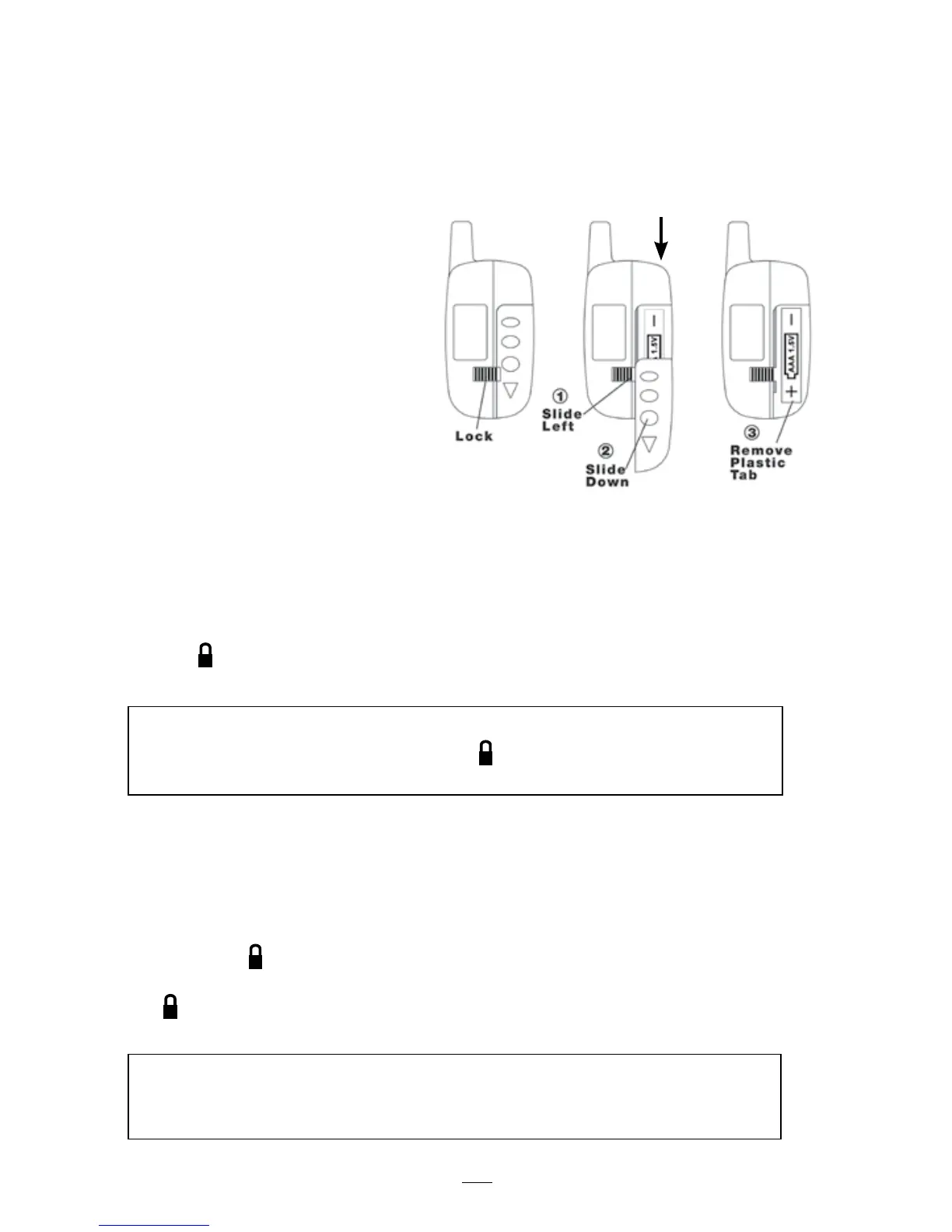
Programming the Alarm with the 5-Button Pager
Transmitter.
Once you have installed the antenna module you are able to program your
alarm using the 5-button pager transmitter.
Activating the 5-button 2-way pager
STEP 1
Open remote by sliding lock
in direction of arrow.
STEP 2
Slide battery cover down.
STEP 3
Remove“Battery Saver” tab
to activate remote transmitter.
Programming the Alarm
The 5-button 2-way pager supplied is randomly coded with one of over
500,000 different code sequences. After wiring is completed, you are now
able to program the alarm unit with your transmitter’s individual code.
Press the button on your 5-button 2-way pager until the alarm gives a confir-
mation chirp. Wait 10 seconds. Programming is now complete.
Programming a Second or Third Transmitter
In order to program an optional second and third transmitter, you must first
disconnect the power from your cycle alarm and then reconnect it. This clears
the alarm of all pre-coded information.
Now press the button on your first remote transmitter until the alarm gives you
a confirmation chirp. Within 5 seconds of programming the first transmitter,
press button of your second and third transmitter until you hear a confirmation
chirp. Transmitter programming is now complete.
NOTE: The alarm unit will not retain code information if power or ground to the alarm unit is
disconnected. When alarm is reconnected, press the button on your remote transmitter until
the alarm gives a confirmation chirp.
NOTE: The alarm unit will accept a maximum of 3 codes. Each transmitter activated will
cause the siren to chirp. Once for the first, twice for the second, and 3 times for the third.
If a fourth transmitter is attempted to be programmed, the first will be erased.
13
5-button 2-way pager



 To Next Page