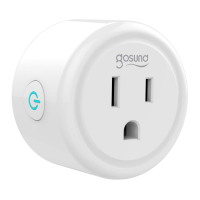
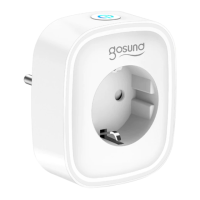
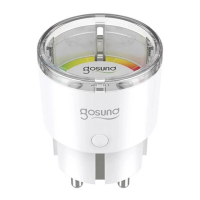
This document provides instructions for the Gosund Smart Plug, model WP3.
The Gosund Smart Plug (WP3) is a compact smart home device designed to provide remote control and scheduling capabilities for electrical appliances. It connects to your home Wi-Fi network, allowing you to manage connected devices via a smartphone app or voice commands.
Function Description:
The primary function of the Gosund Smart Plug is to enable smart control over traditional electrical appliances. Users can turn devices on or off remotely, set schedules for operation, and integrate them into smart home ecosystems for voice control. It supports group control, allowing multiple plugs to be managed simultaneously. The plug is designed with safety in mind, featuring V0 fireproof materials.
Important Technical Specifications:
- Model: WP3
- Input: 120V~, 60Hz, 10A
- Rated Power: 1200W Max.
- Wi-Fi Connectivity: Supports 2.4G Wi-Fi only (5G Wi-Fi is not supported). It is crucial that both the mobile phone and the device are connected to a 2.4G Wi-Fi network simultaneously during setup and operation.
- Material: Flame Resistant Material (V0 Fireproof Materials)
- Size: Mini (as indicated by "Mini Size" feature)
Usage Features:
- ON/OFF Button: A physical button on the side of the plug allows for manual control (turning the plug on or off).
- Indicator Light: An indicator light provides visual feedback on the plug's status, particularly during the pairing process.
- Voice Control: Compatible with voice assistants, allowing users to control connected devices using voice commands.
- APP Control: Full control and management of the smart plug via the Gosund mobile application.
- Scheduled Control: Users can set schedules and timers for connected appliances to turn on or off automatically.
- Family Sharing: The ability to share control of the smart plug with family members through the app.
- Group Control: Manage multiple Gosund smart plugs together as a group.
- No Hub Required: The smart plug connects directly to your Wi-Fi network, eliminating the need for a separate smart home hub.
- Easy Setup:
- Download the Gosund App from the Apple APP Store or Google Play (by searching "Gosund" or scanning a QR code).
- Open the app and create a Gosund account.
- Plug in the device close to the router.
- Press and hold the ON/OFF button for 5 seconds until the plug's indicator light starts blinking fast, indicating it's in network pairing mode.
- Add the device in the app:
- Option 1: Tap "+" on the upper right corner and select "Auto Scan."
- Option 2: Tap "+" on the upper right corner, select "Add Manually," and then choose "Socket (Wi-Fi)."
- Follow the in-app instructions to complete the pairing process.
Maintenance Features:
- Reset Function: To reset the plug to factory settings, turn on the power, then press and hold the Switch/Pairing button for 5 seconds. Release the button when the socket starts blinking fast; this indicates a successful reset. This is particularly useful when moving the socket to a new network environment, as it requires restoring factory settings before reconnecting.
- Cleaning: Never use aggressive detergents such as alcohol or other chemical solutions, as these can damage the casing or impair the product's functioning.
- Storage and Environment:
- Keep out of reach of children and pets.
- For indoor use only; do not use in humid environments or outdoors.
- Avoid placing near heating devices like microwave ovens, stoves, or radiators.
- Protect from extreme temperatures, direct sunlight, strong jolts, high humidity, moisture, flammable gases, vapors, and solvents.
- Do not store for extended periods in poor ambient conditions.
- Repair and Disassembly: Do not disassemble, modify, or repair the device yourself. Seek help from authorized professionals for device malfunctions.
- Damage: Do not use the device if it is no longer working properly or is visibly damaged.
- Interconnection: Do not insert your device into another one.
Included Parts:
- Smart Plug (x 1)
- User Manual (x 1)
- Binding Voice Assistants Guide (x 1)
Certifications:
The product bears the FCC mark, a house symbol (indicating indoor use), and an ETL Listed mark (Intertek 5011128), signifying compliance with relevant safety standards. It also features a crossed-out wheeled bin symbol, indicating that it should not be disposed of with general household waste.
Note: The images in the manual are indicative only. In case of inconsistency between the image and the actual product, the actual product shall govern.

 Need help?
 General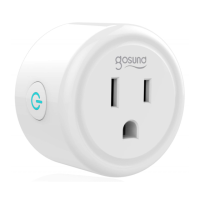

 To Next Page