3.1 Getting Started
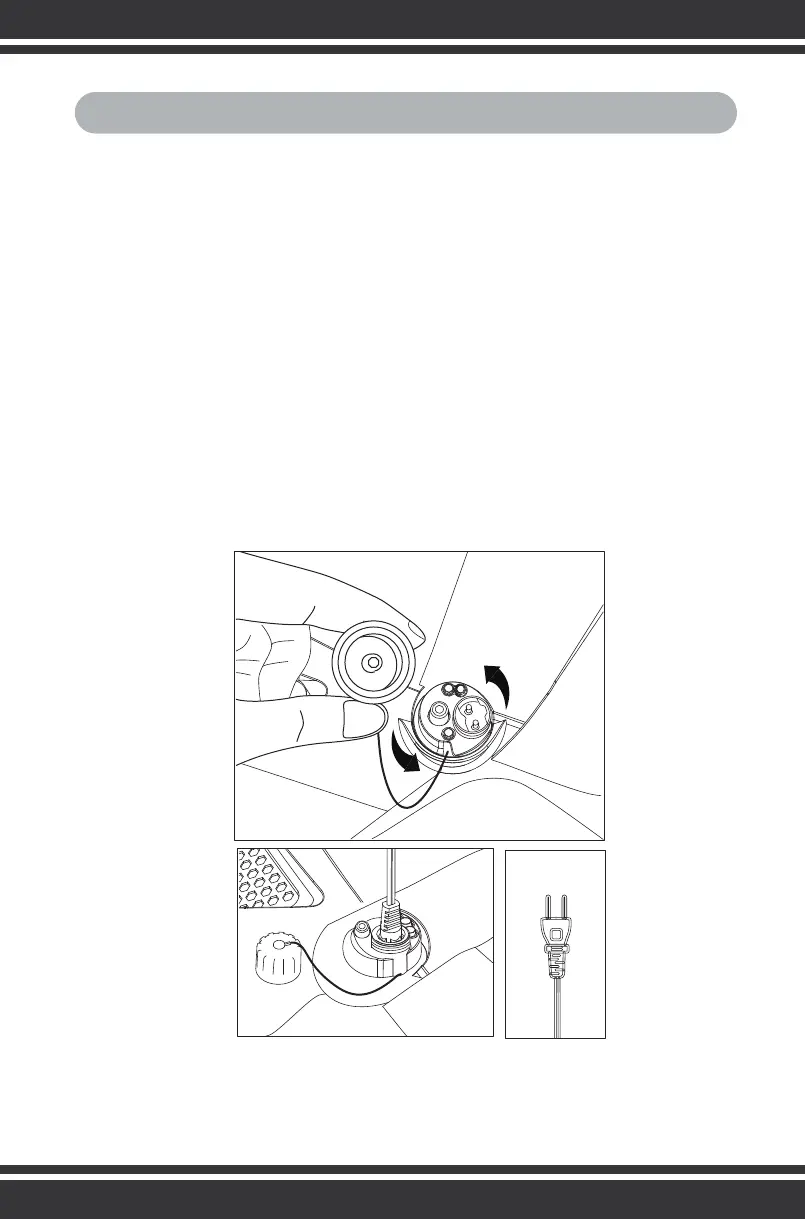
1. Find a working electrical outlet.
2. Wipe the charging port with a towel to prevent water from entering the
charging port.
3. Twist off the plastic cap to plug in the charing cord.
4. The charger indicator light will turn red, indicating the device is
charging. Allow 3 hours to fully charge your device, at which time the
indicator will turn green. Charging takes 3 hours to charge the device
fully. The indicator light will turn green when charging is complete.
3. Operations
8



 To Next Page