-----------------IMPACT DOT-MATRIX RECEIPT PRINTER------------------
--
11
-
4. If using Ethernet port, please install the driver as the following steps:
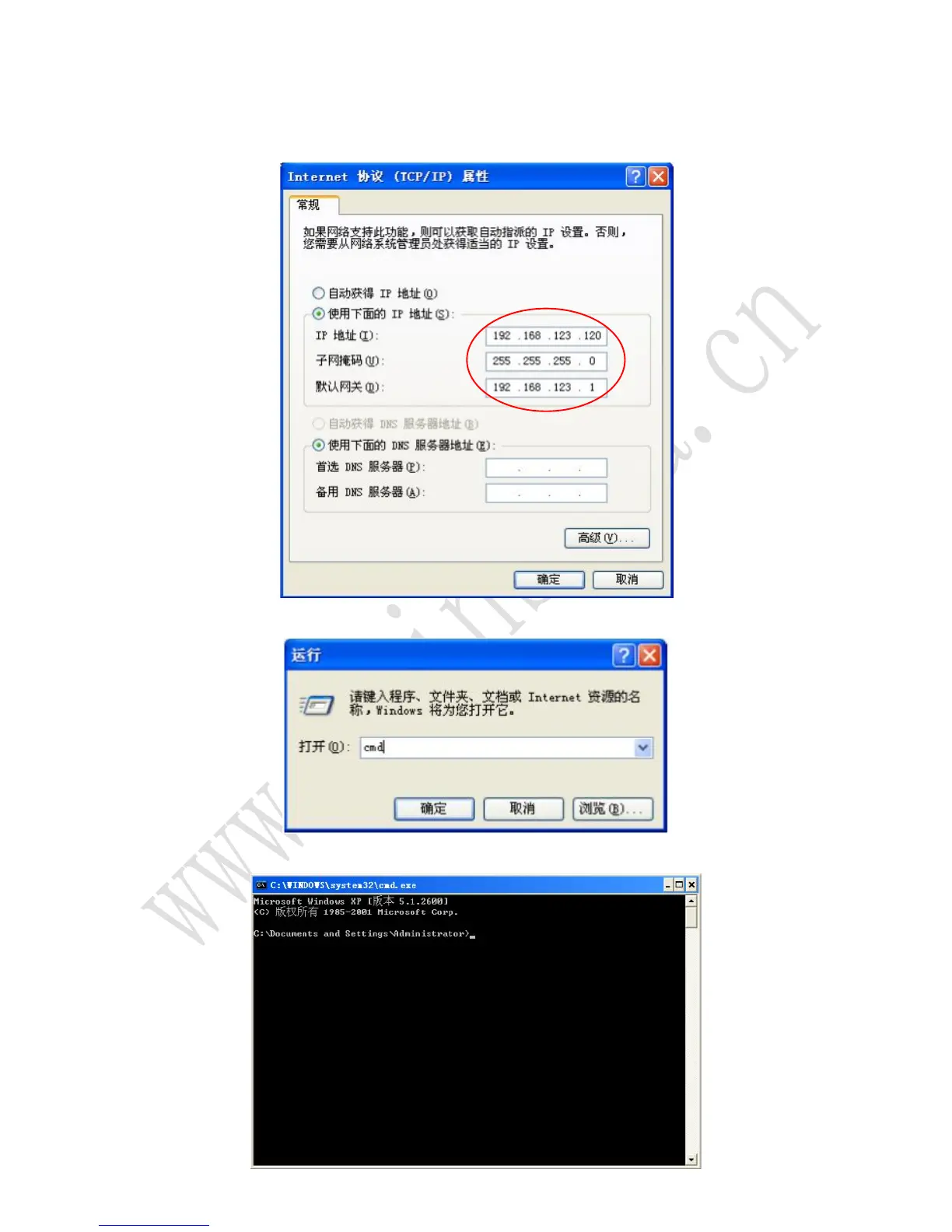
4.1 Printer default IP address is 192.168.123.100, firstly change the computer IP address to
192.168.123.120 as below, in order to keep on the same network segment with printer. Then
Computer can not go online at the present.
4.2 press window+R button, input cmd
4.3 The window appears as below:



 To Next Page