-----------------IMPACT DOT-MATRIX RECEIPT PRINTER------------------
--
12
-
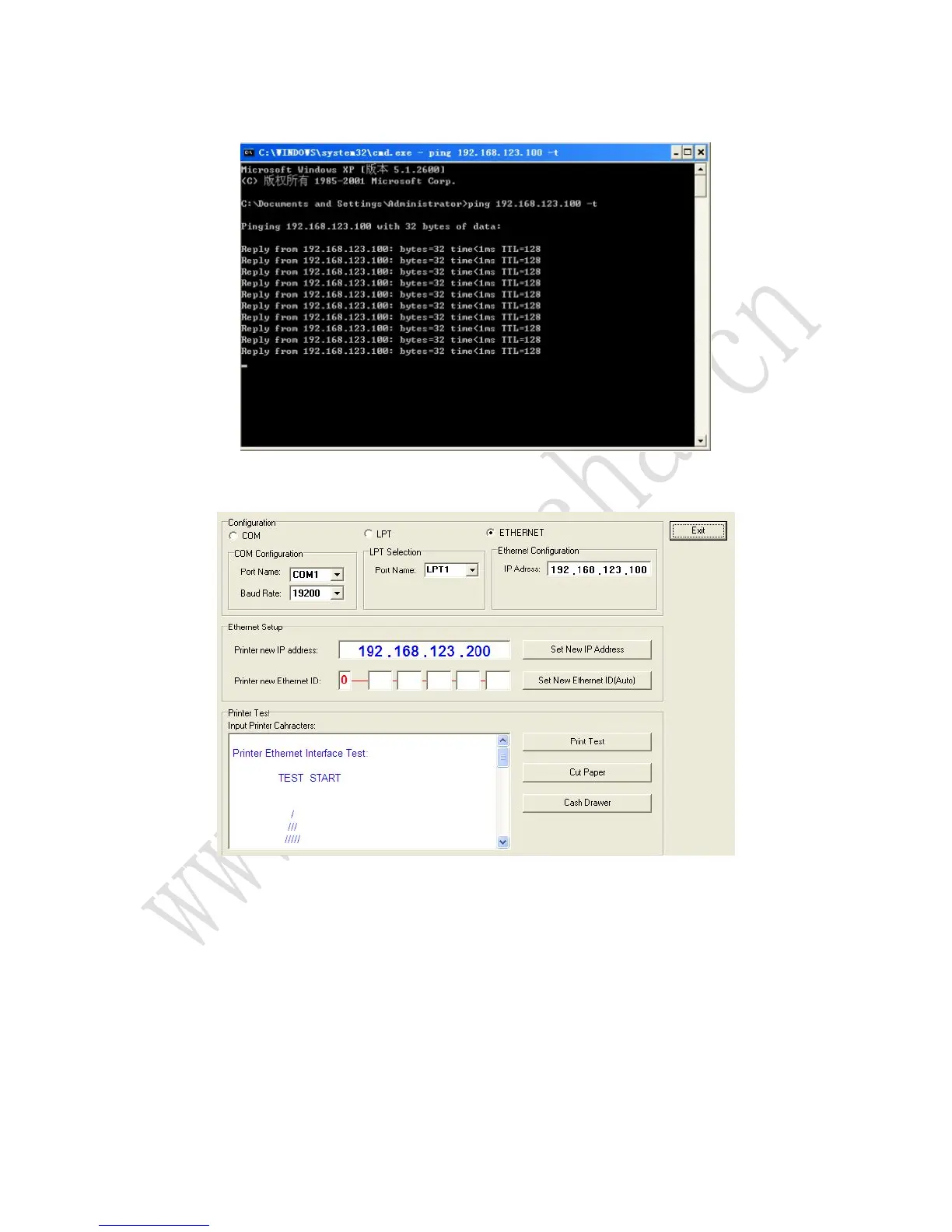
4.4 Then input ping 192.168.123.100 –t to check if the printer IP address is able to ping to
computer or not.
Press enter, the window appears as below, then works.
4.5 Change the printer IP address using tools. Install GPETHERNETnew.exe, and then run
it. The window appears as below:
4.6 Change printer new IP address to 192.168. 0.XXX, and then click “set new IP Address”.
Please be noted that you can set any IP under 192.168.0.XXX but avoid conflict to any current
computer IP.



 To Next Page