-----------------IMPACT DOT-MATRIX RECEIPT PRINTER------------------
--
13
-
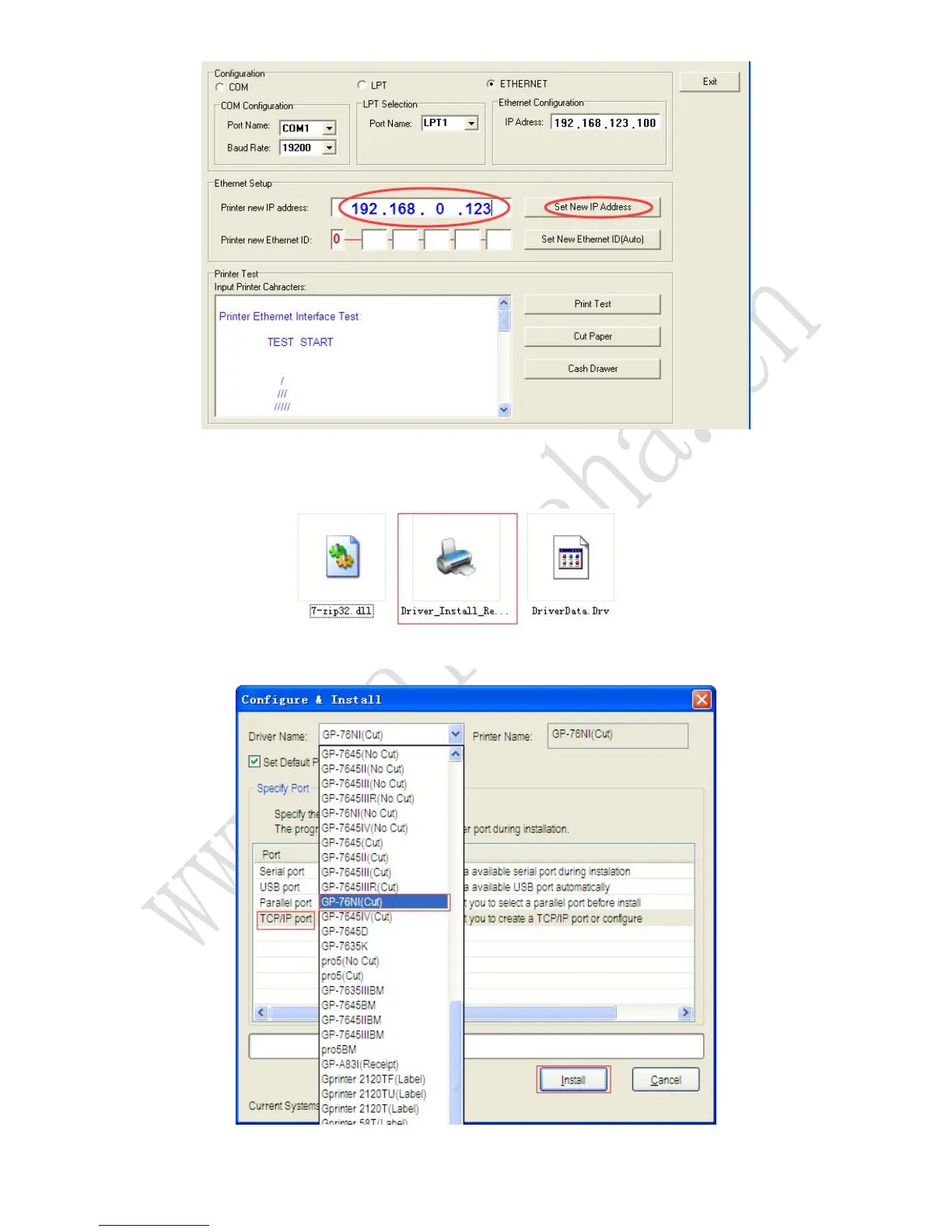
4.7 Change the computer IP address to original IP, the computer can go online now.
4.8 Double-click the Windows driver Installation file
(Driver_Install_Receipt_Label_GBEN.exe) to begin driver installation.
4.9 Select the 76NI(cut) and TCP/IP port to be used and click the “Install” button.
4.10 Click the “Finish” button.



 To Next Page